
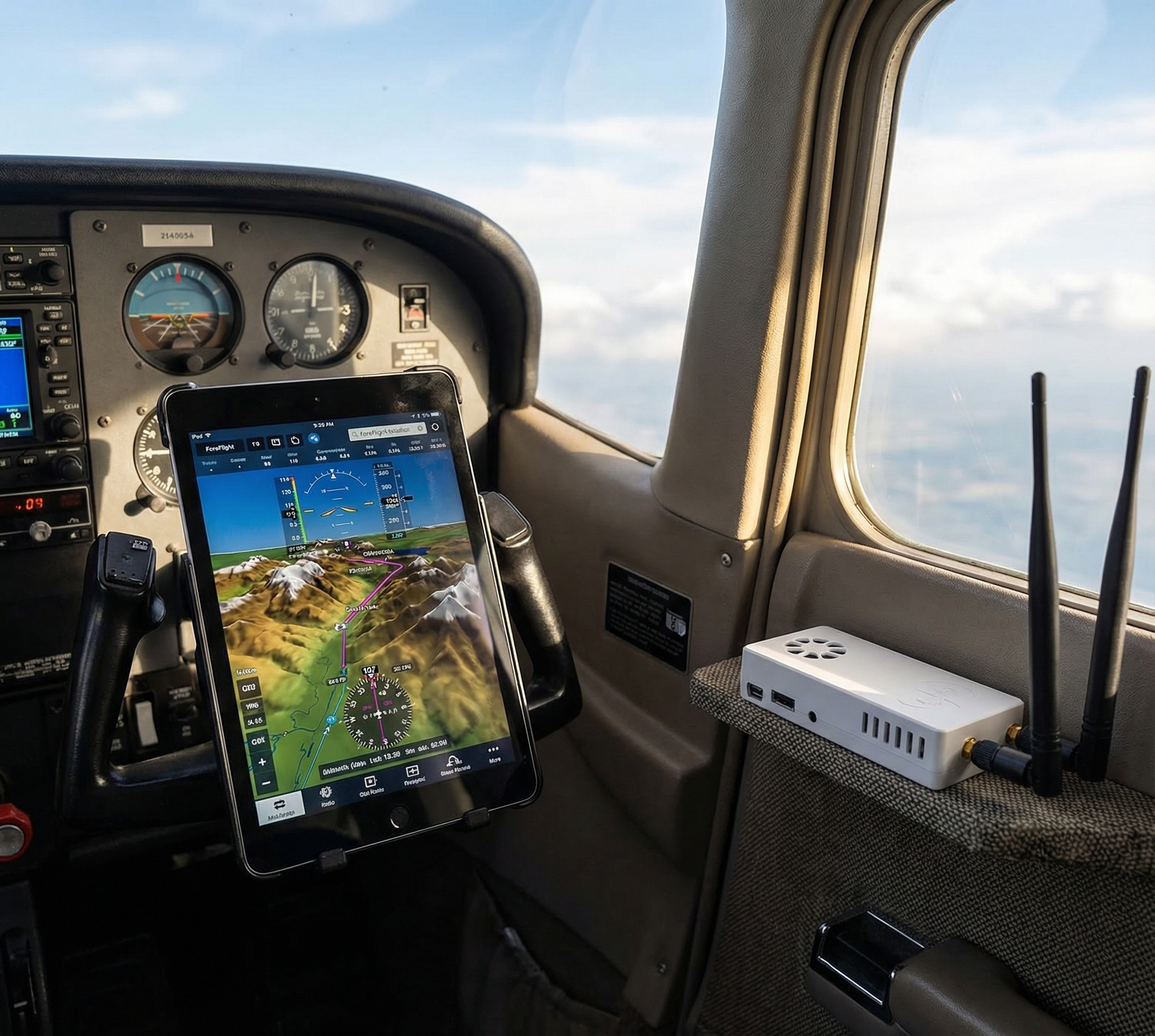
ForeFlight synthetic vision shows a 3D terrain view on your attitude indicator — mountains, valleys, and obstacles rendered in real time based on your GPS position. It normally requires a Garmin GDL 39 3D or similar AHRS-capable hardware costing $700+. With a Stratux unit that includes an AHRS module, you get the same ForeFlight synthetic vision for free. Here’s how to set it up.
What is AHRS and Why ForeFlight Needs It
AHRS stands for Attitude and Heading Reference System. It’s an IMU (inertial measurement unit) — accelerometers and gyroscopes — that measures pitch, roll, and yaw in real time. ForeFlight uses this attitude data to animate the synthetic vision display with accurate aircraft orientation.
Without AHRS, ForeFlight’s synthetic vision shows terrain based on GPS position but the aircraft stays level. With AHRS, the whole picture tilts and pitches with your actual bank and pitch angle. In marginal VFR or night flying over terrain, this is a meaningful upgrade.
Important: Stratux AHRS is supplemental situational awareness only — not certified, not a primary flight instrument. ForeFlight and Stratux both label it as such.
What You Need
- Stratux unit with AHRS module (MPU-9250 or similar IMU chip)
- ForeFlight app (any tier that includes synthetic vision)
- iPad or iPhone connected to Stratux WiFi
Not all Stratux builds include AHRS. Verify by opening the Stratux web interface at 192.168.10.1 — it will show pitch and roll values if the IMU is active. The Crew Dog Electronics Stratux units include AHRS pre-installed and calibrated.
Step 1: Connect to Stratux WiFi
Power on Stratux, wait 90 seconds for full boot. On your iPad: Settings → WiFi → connect to “stratux” (password: stratux1090 unless changed). Verify by navigating to 192.168.10.1 in Safari — you should see the Stratux dashboard with live pitch and roll values.
Step 2: ForeFlight Detects Stratux Automatically
Open ForeFlight. Go to More → Devices. ForeFlight scans and should detect Stratux within 30 seconds. When connected, you’ll see status indicators for GPS, Traffic, Weather, and AHRS — all should show active.
If Stratux doesn’t appear: confirm you’re still on Stratux WiFi (iPads switch back to remembered networks), force-quit and reopen ForeFlight, and verify your Stratux firmware is 1.6+.
Step 3: Enable Synthetic Vision
In ForeFlight’s Map view, tap the layers control and enable Synthetic Vision. Switch to the Attitude view (primary instruments page). With AHRS active, the terrain will render behind the ADI and move with your actual pitch and roll.
Calibrating AHRS for Accurate Results
Place the Stratux consistently — ideally flat on the glareshield or in a fixed position in your flight bag. Let it sit powered for 2–3 minutes before flight. Don’t move it after initialization or you’ll introduce attitude drift.
Stratux AHRS does not use GPS correction (unlike the GDL 39 3D). Attitude drift will occur over long flights. For VFR situational awareness in normal maneuvering it’s accurate enough. Plan accordingly for IMC use.
Troubleshooting
ForeFlight shows GPS but not AHRS
Firmware too old. Update Stratux firmware — the web interface at 192.168.10.1 shows current version and supports updates.
AHRS values are wrong at startup
Hard-reset the Stratux, boot on a flat surface, don’t touch it for 3 minutes. The gyro initializes from rest.
Attitude drifts during long flights
Normal — consumer-grade IMU limitation without GPS correction. Use synthetic vision as supplemental information, not primary reference.
Bottom Line
Stratux AHRS + ForeFlight synthetic vision is one of the best value upgrades in GA. You’re getting functionality that commercial vendors charge $500–700 for, from open-source hardware. Setup takes 5 minutes. If you need an AHRS-capable unit, check the Crew Dog Electronics catalog.