
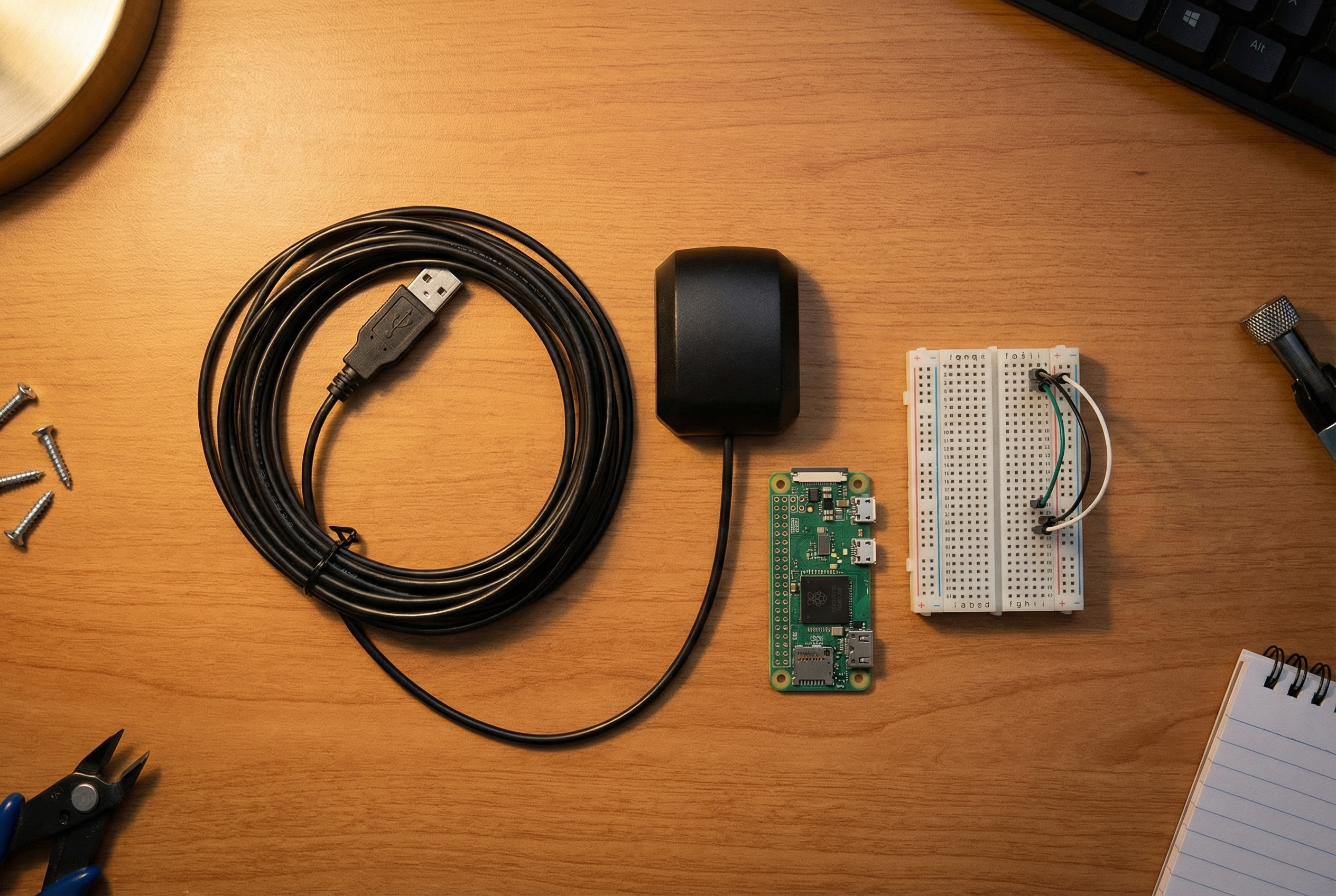
The VK-162 is a $15 USB GPS dongle that runs on a u-blox chip and works plug-and-play on Linux with zero driver installation. Most people pick one up because they need a cheap GPS source for a Raspberry Pi project and this one keeps showing up in forums as “the one that actually works.”
They’re not wrong. But most people use maybe 20% of what this thing can do. Here are five projects worth building.
1. Stratum 1 NTP Server (GPS-Disciplined Time for Your Network)
The most underrated use for a USB GPS receiver: feed its 1PPS signal to your network as a reference clock.
A Stratum 1 NTP server gets its time from an atomic source (GPS satellites carry atomic clocks). The VK-162 receives that time and passes it through gpsd, which chrony then uses to discipline your system clock. The result: sub-millisecond accuracy, completely offline, zero subscription cost, for as long as it has GPS lock.
This is genuinely useful if you run a home lab with VMs, containers, or network gear where time drift causes certificate errors, log confusion, or auth failures. It’s also useful for anyone who just enjoys not relying on pool.ntp.org.
What you need: VK-162 + any Raspberry Pi (even a Pi Zero W) + about 30 minutes.
👉 Full guide: How to Build a Stratum 1 NTP Server with a Raspberry Pi and VK-162
2. APRS Tracker or iGate (Ham Radio Position Beaconing)
If you have a ham license and a radio interface, a VK-162 + Raspberry Pi + Direwolf is everything you need to build a working APRS tracker or receive-only iGate.
The setup is clean: gpsd reads position data from the VK-162, Direwolf pulls location from gpsd with a single config line (GPSD localhost 2947), and your position packets go out over RF. You can run this mobile in a vehicle, fixed as a home iGate, or portable in a backpack with a battery.
The u-blox chip in the VK-162 behaves reliably on Linux — no polling jitter, consistent NMEA output, no fights with ttyUSB0 vs ttyACM0. That matters when Direwolf needs steady position updates.
What you need: VK-162 + Pi + radio interface (Signalink USB or similar) + amateur license.
👉 Full guide: How to Use a VK-162 USB GPS for Ham Radio APRS on Raspberry Pi
3. Vehicle GPS Logger and Dashcam Enrichment
No cloud. No subscription. No “we updated our privacy policy.”
The VK-162 logs raw NMEA sentences over USB. A simple Python script reads from gpsd’s socket and writes a GPX file — latitude, longitude, altitude, speed, and timestamp — every second. Combine that with dashcam footage and you have a fully geocoded drive record you can replay in Google Earth, Gaia GPS, or any GPX viewer.
This is useful for road trips, route documentation, fleet operators who want local logging, and anyone running Raspberry Pi-based dashcams who wants to tag footage without a cellular data plan.
The script is short — under 50 lines of Python using the gpsd-py3 library. Cold-start time is typically 30–60 seconds outdoors; mount the dongle near a window for best results.
What you need: VK-162 + Pi (any model) + Python 3 + gpsd-py3 + a small USB drive or SD card for log storage.
4. Offline Field Navigation (Hiking, Overlanding, Off-Grid)
A Pi running offline maps + a VK-162 = a GPS navigator that works without cell service, without Google, and without a $400 dedicated unit.
Software options: Navit (open source, actively maintained, works on Pi), OsmAnd (Android-focused but Pi builds exist), or a simple terminal readout via cgps -s if you just need coordinates. OpenStreetMap tiles work offline once downloaded; Navit will route you without internet.
This setup is popular with backcountry hikers, overlanders, ham radio operators doing field day from remote sites, and preppers who want a navigation system that doesn’t depend on any external service.
Cold-start lock takes 30–90 seconds on first use. After that, hot starts are typically under 10 seconds. Keep the dongle in a clear sky view — inside a vehicle on the dash, or attached to a pack’s shoulder strap.
What you need: VK-162 + Pi + Navit or similar + offline map tiles for your region.
5. Astrophotography and Telescope Alignment
This one surprises people.
Telescope alignment and astrophotography software needs two things: precise time and precise location. The VK-162 provides both, pulled from GPS satellites. Hook it up to gpsd, and software like KStars/Ekos, Stellarium, or AstroTortilla can pull accurate coordinates and UTC time automatically.
In practice, this means faster meridian flip calculations, better plate-solving results, and cleaner autoguide calibration — all because your clock drift is essentially zero and your lat/lon is GPS-accurate rather than typed in from memory.
Some astrophotographers run this on a Pi mounted directly to their telescope rig. Others use it as a time/location source for a dedicated astro PC. Either way, $15 for GPS-disciplined time and coordinates is a legitimate value-add for a setup that might have $1,000+ in other gear.
What you need: VK-162 + Pi or any Linux machine near your scope + KStars/Stellarium/AstroTortilla.
Parts You’ll Need
| Item | Notes |
|---|---|
| VK-162 USB GPS Dongle | u-blox chip, plug-and-play Linux driver |
| Raspberry Pi (any model) | Pi Zero W works for NTP/logging; Pi 4 for heavier tasks |
| MicroSD card (16GB+) | For Pi OS |
| USB cable / hub | If Pi has limited USB ports |
👉 Get the VK-162 USB GPS Dongle →
One Module, Five Projects
The VK-162 isn’t a specialty part — it’s a general-purpose GPS input that happens to work reliably on Linux. Whether you’re building a home lab time server, an APRS tracker, a vehicle logger, a field navigator, or a scope alignment tool, the hardware is the same $15 dongle.
The limiting factor isn’t the hardware. It’s knowing the use cases exist.
Now you do.
Questions? Drop them in the comments. If you build something with this guide, we’d genuinely like to see it.