Posted on Leave a comment

The ADS-B In Gap That Left 67 People Without a Warning (And What GA Pilots Can Do About It)

On January 29, 2025, an Army Black Hawk helicopter collided with an American Airlines regional jet over the Potomac River near Reagan National Airport. Sixty-seven people died.

What the NTSB confirmed afterward: the Black Hawk’s ADS-B Out system wasn’t transmitting. Not just on the night of the crash. According to NTSB Chair Jennifer Homendy, it hadn’t been broadcasting data for months before the collision.

ADS-B Out was already required. The military had an exemption. And the jet’s crew had no electronic warning that a helicopter was in their flight path.

Two Bills. One Dead. One Toothless.

Congress responded with two bills, and neither solved the problem cleanly.

The ROTOR Act passed the Senate with bipartisan support. It would have required all aircraft already equipped with ADS-B Out to also carry ADS-B In (the receiving side that shows you where other aircraft are) by December 31, 2031. The families of the crash victims were in the House gallery watching when it came to a vote in the House on February 24, 2026.

It received 264 votes. It needed 290. The Pentagon had pulled its support the week before.

The competing bill, the ALERT Act, moved through the House Transportation Committee in late March. A different approach: rather than mandating ADS-B In, it explicitly permits the use of any collision-prevention technology, including portable ADS-B In receivers displaying on iPads, EFBs, and panel-mounted displays.

Permitted, not required. Voluntary, not enforced.

So here’s where we are: ADS-B Out has been required for most GA operations since January 2020. ADS-B In, the part that shows you traffic on your iPad, still isn’t mandated for anyone. Military aircraft still operate under exemptions. And the Black Hawk that killed 67 people is Exhibit A for what happens when the receiving side of the equation is missing.

What ADS-B In Actually Does

ADS-B Out broadcasts your position. Every aircraft required to have it is announcing its location to anyone listening.

ADS-B In is the receiver. It collects those broadcasts and the FAA’s ground-based traffic data, and displays them on your moving map. Traffic targets. Relative altitudes. Closure rates. The kind of awareness that helps you build a better traffic picture before you’re close enough for it to matter.

The two systems are complementary. Out without In is half a handshake. You’re visible to others. You can’t see them.

The FAA has never mandated ADS-B In because it assumed pilots would want it voluntarily, and because panel-mounted equipment is expensive. For years, that logic was hard to argue with. Certified avionics installations typically run several hundred to over a thousand dollars before labor.

The Portable Path Congress Just Blessed

The ALERT Act’s most consequential provision isn’t the one getting headlines. It’s this: the FAA administrator would be required to explicitly allow portable ADS-B In receivers that display on a portable device, electronic flight bag, or panel-mounted display.

That’s not a new technology. Portable ADS-B In receivers have been legal for years. What the ALERT Act does is formalize that the FAA cannot restrict or discourage this path to situational awareness. It has to be treated as a valid option.

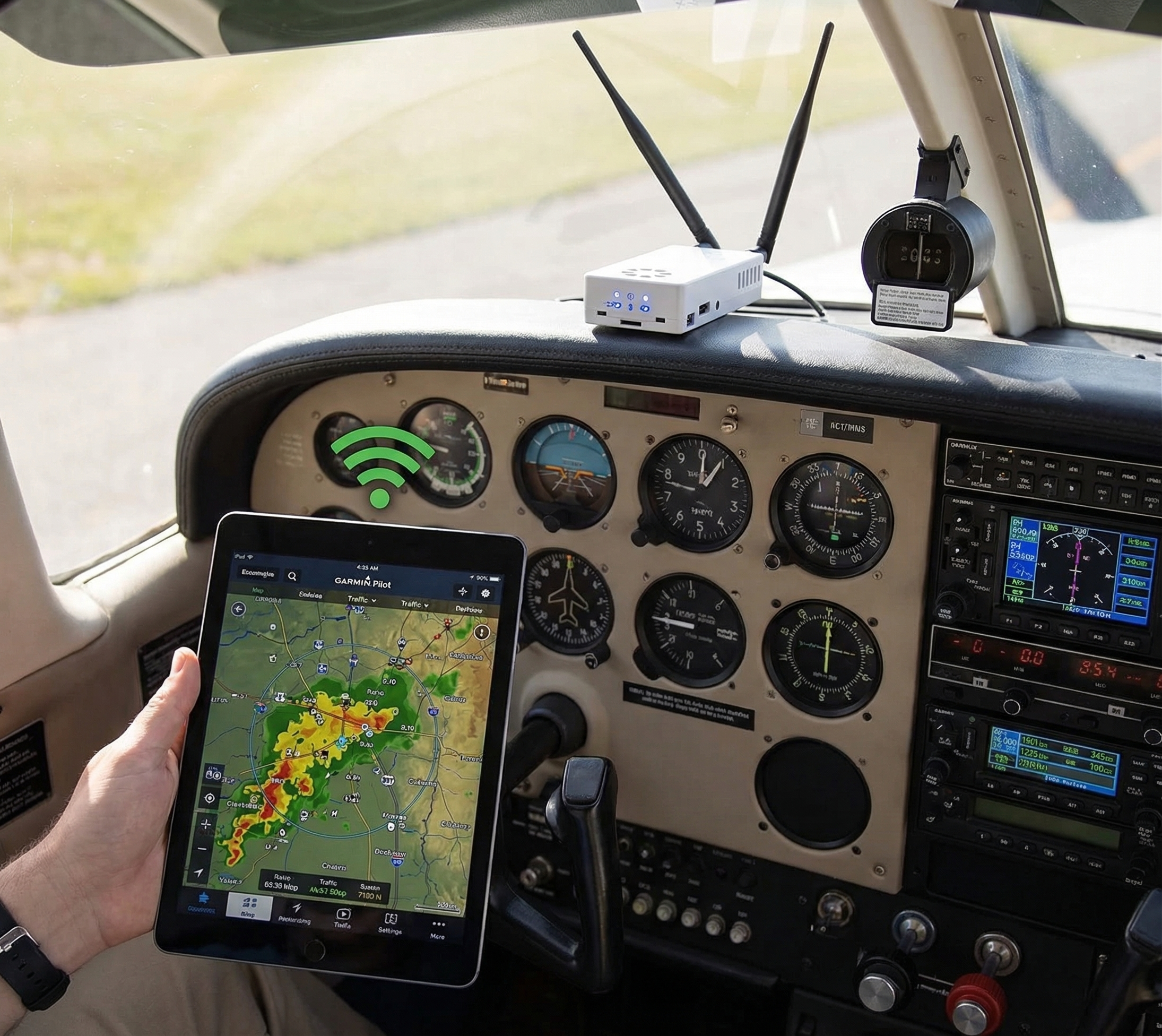
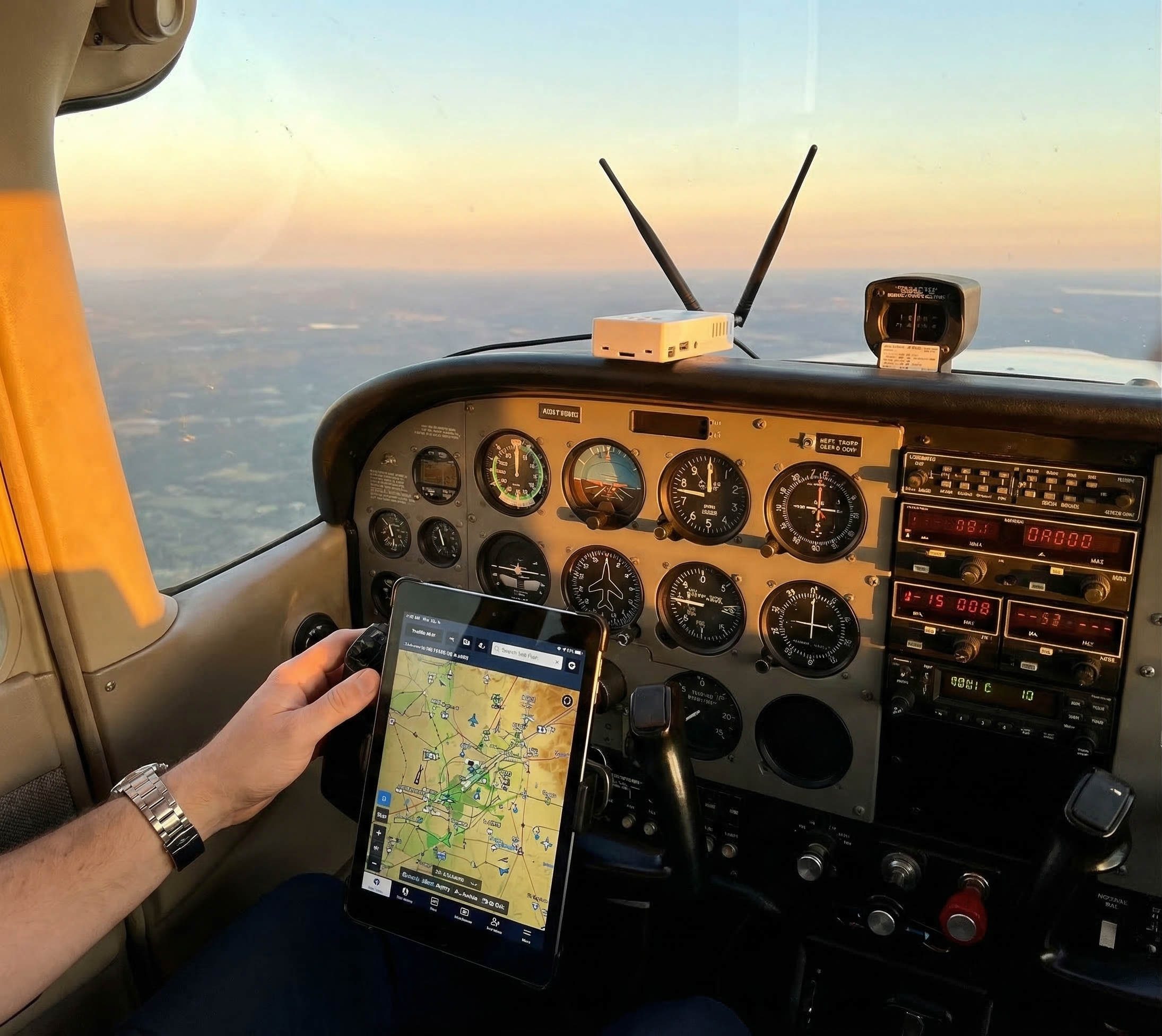
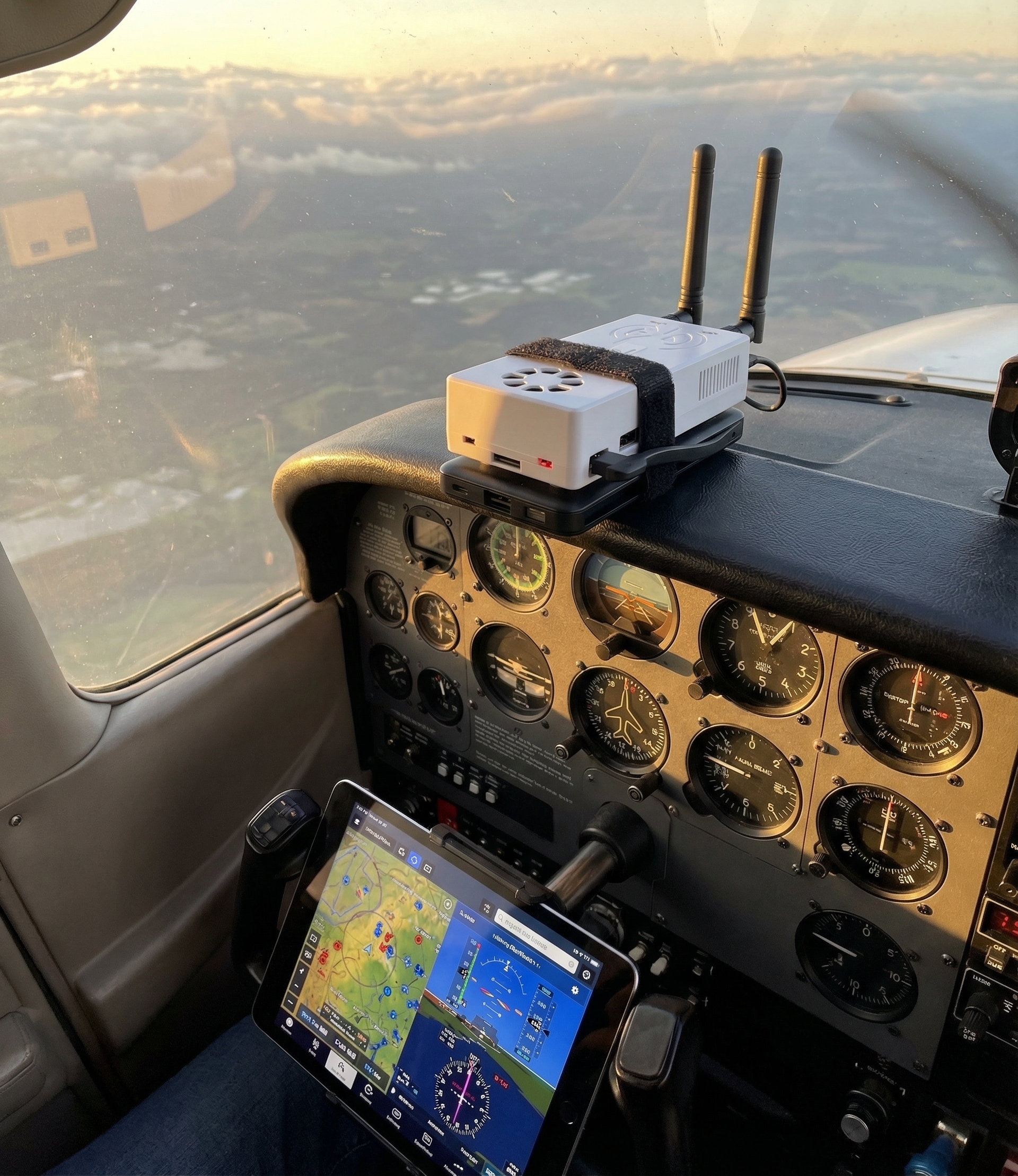
A portable receiver connected to ForeFlight® on an iPad is, by any reasonable measure, a practical ADS-B In solution. You see traffic. You see weather. You have the in-flight picture the NTSB has been pushing Congress toward for years.

The difference between a certified panel-mounted unit and a portable receiver, from a situational awareness standpoint, is close to zero. The difference in cost is not.

The $439 Argument

The NTSB Chair told Congress in 2025 that a $400 portable ADS-B receiver paired with an iPad was the affordable path for general aviation pilots to get real traffic awareness. She described a device that connects to any EFB over Wi-Fi, costs a fraction of panel-mounted alternatives, and requires no avionics shop installation.

That description matches the Stratux exactly.

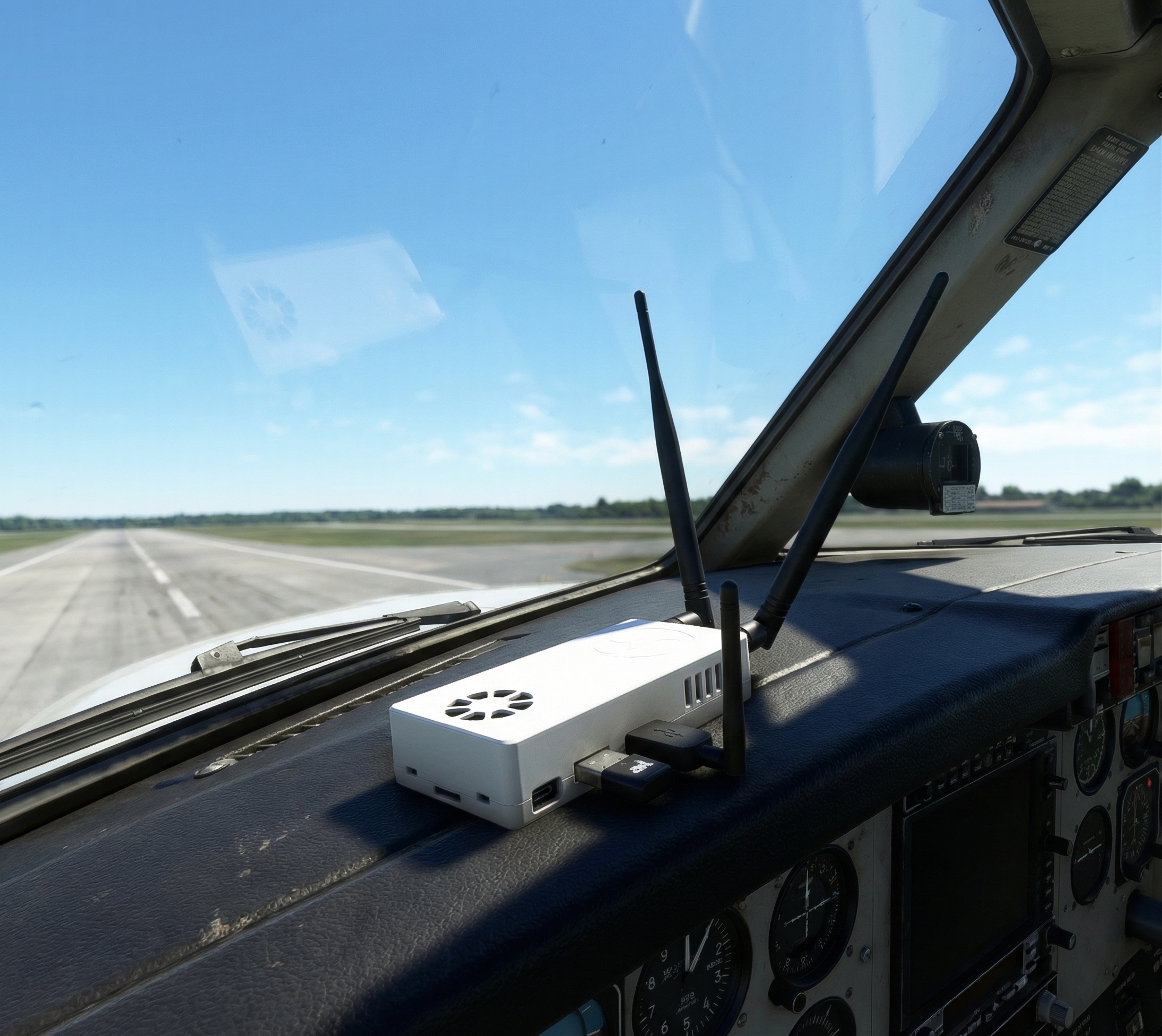
The Stratux ADS-B receiver processes both 978 MHz UAT and 1090ES traffic simultaneously, delivers FIS-B weather (NEXRAD, METARs, PIREPs, TFRs), and sends everything to ForeFlight®, Garmin Pilot, WingX, or any other GDL-90-compatible EFB over Wi-Fi. It works in the US and Canada. It requires no subscription. It costs $439.99 for the pre-built unit with internal GPS, or you can build your own from components starting around $210.

It is, in every meaningful way, what Congress is trying to get more pilots to use.

Why This Matters Beyond the Mandate Debate

The legislative fight will continue. The ROTOR Act may be reintroduced. The ALERT Act still has to clear the full House and Senate. Military exemptions will be contested. This process moves slowly.

What doesn’t change: the traffic is already broadcasting. Every ADS-B Out-equipped aircraft in your vicinity is announcing its position right now. Whether you receive that information depends entirely on whether you have a receiver.

The NTSB has been pushing this recommendation for years. The technology works. The portable version costs less than a nice set of headsets. Congress is fighting over whether to require it, but it doesn’t need a mandate to be useful to you today.

Situational awareness doesn’t wait for legislation.

The Open Source Angle

There’s one more thing worth saying here. The Stratux is open source hardware. Every component is documented, replaceable, and community-supported. If the UAT radio fails, you swap it. If the GPS module goes out, you replace it for $20. If the software gets an update, the community ships it.

That’s not how sealed avionics boxes work. When those fail, you send them back to the manufacturer and wait. Right to repair isn’t just about tractors. It’s about whether the equipment in your cockpit can survive the real world.

We’ve been making the case for open-source, repairable ADS-B receivers since before the mandate debates started. The accident near Reagan National didn’t change the technology. It just made the argument harder to ignore.

Get ADS-B In Before Congress Makes It Mandatory

The ALERT Act is moving through Congress with explicit language protecting the use of portable ADS-B In receivers. The technology is proven. The cost is lower than a weekend at Oshkosh. And every aircraft transmitting ADS-B Out is already broadcasting its position. You just need something to receive it.

The Stratux ADS-B receiver with internal GPS is $439.99, ships ready to fly, and works with ForeFlight®, Garmin Pilot, WingX, and every other major EFB. No subscription. No avionics shop. No waiting for a mandate.

Traffic awareness is available right now. Whether you use it is up to you.
Posted on Leave a comment

The True Cost of ADS-B In: No Subscriptions, No Lock-In, No Surprises

The Real Price of ADS-B In (Most Pilots Get This Wrong)

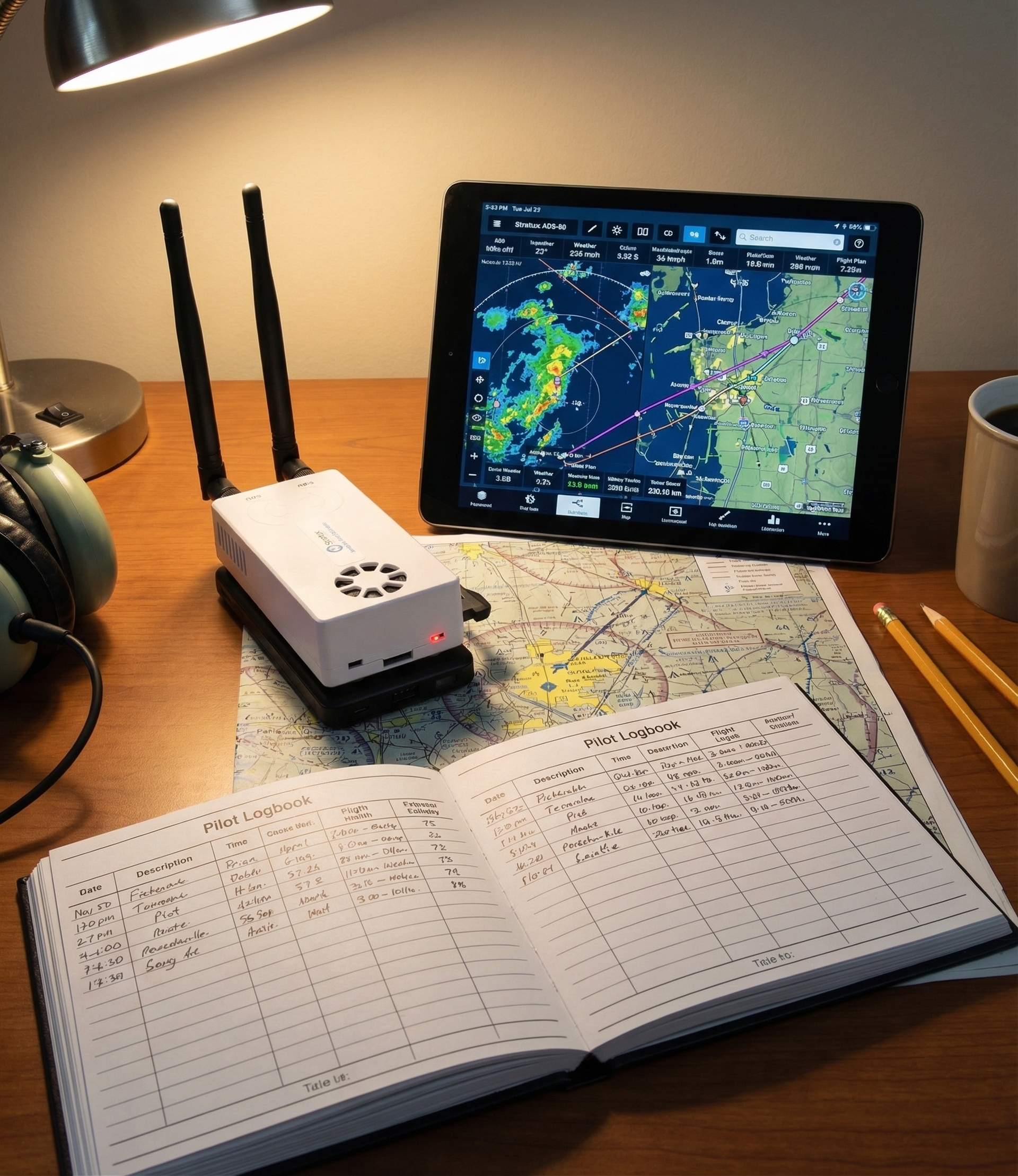
Here’s how the math usually goes: a pilot decides they want ADS-B In traffic and weather. They look at a few options, pick a unit in the $300-600 range, and think they’re done. Sticker price. Done.

Eighteen months later, they’ve paid the sticker price plus a year of EFB subscription fees, a replacement battery that voided the warranty, and a customer service experience that involved being told the hardware was “end of life.”

The upfront price and the total cost of ownership are two different numbers. This post breaks down both.


What Commercial ADS-B In Receivers Actually Cost Over Time

Let’s start with the honest version of the commercial receiver budget.

Hardware: $299 to $699

Portable ADS-B In receivers are widely available in this range. Some are single-band UAT only (978 MHz). Others are dual-band, covering both UAT and 1090-ES transponder traffic. Most use internal GPS. They’re compact, polished, and they work.

EFB Subscriptions: $100 to $250/year

This is where the sticker price model breaks down. Most commercial ADS-B In receivers are designed to work with a specific EFB, and that EFB has a subscription. ForeFlight® starts at $99.99/year for basic and runs up from there. Other apps have similar tiers. The receiver itself may be “free” with an annual subscription in some bundle deals, which tells you something about the real economics.

The ADS-B data itself is free. It comes from FAA ground stations. But the software layer that displays it to you? That’s a recurring fee.

Repairs and Replacements: $0 Until It Isn’t

Sealed consumer electronics have a predictable failure curve. GPS receivers lose signal sensitivity over time. Lithium batteries degrade. Cases crack. Connectors corrode.

When that happens with a sealed unit, your options are usually: send it back under warranty (if you’re within the window), pay for depot repair at 40-70% of replacement cost, or just buy a new one. The “just buy a new one” option is priced in to the business model.

The Five-Year Number

Run the math on a typical commercial portable ADS-B In receiver over five years:

  • Hardware: $499
  • EFB subscription at $150/year x 5 years: $750
  • One battery/repair event: $100 (conservative)
  • Total: $1,349

That’s a number most pilots don’t see on the product page.


The Stratux Cost Model: One Number, No Surprises

Stratux is an open-source ADS-B In receiver. The pre-built Crew Dog Electronics unit comes assembled, tested, and ready to fly. Here’s what the cost structure looks like.

Hardware: $379 to $439.99

The Stratux pre-built with internal GPS starts at $439.99. That includes the dual-band receiver (both UAT 978 MHz and 1090-ES 1090 MHz), the WAAS-enabled GPS module, antennas, power cable, and case. Everything you need to get ADS-B weather and traffic on your iPad, ForeFlight®, or any other EFB you prefer.

If you want to build your own, a kit runs around $210-230 for components. That’s a different conversation for a different post.

EFB Subscriptions: Your Choice, Not Ours

Stratux communicates in GDL-90 protocol, which is the standard that most aviation EFBs support. ForeFlight®, FlyQ, WingX, FltPlan Go, iFly, Avare, and others all work with Stratux without special configuration. You’re not locked into a specific app, and you’re not locked into a specific subscription tier.

If you use an EFB that charges a subscription, that subscription is yours regardless of which ADS-B receiver you use. Stratux doesn’t add to that cost, and it doesn’t require you to use any particular app.

Pilots who use free EFBs like Avare or AvNav can have a complete ADS-B In setup at zero ongoing cost.

Repairs: Component-Level, Not Device-Level

This is where the economics diverge most sharply from sealed commercial units.

Every component in a Stratux is user-replaceable.

  • GPS module stops acquiring: $19.99 replacement, 10-minute swap
  • UAT radio needs replacing: $39.99, plug-in replacement
  • Antenna connector damaged: $5-8, hand-tighten only (no pliers)
  • Case cracked: $19.99 replacement case, same hardware inside

The repair documentation is public. The components are in stock. There’s no depot service, no warranty expiration window that resets on component replacement, and no “just buy a new one” dead-end.

The Five-Year Number

The same five-year window:

  • Hardware: $439.99
  • App subscription: $0 (if using free EFB) to whatever your EFB costs (same as any other receiver)
  • One component repair over 5 years (GPS): $19.99
  • Total: $459.98 to $1,209.98 depending on EFB

The hardware cost is the same order of magnitude as a commercial unit. The difference is in year two, year three, year four, and year five. No proprietary lock-in. No forced upgrades. No sealed-chassis repair bills.


What ADS-B Data Actually Costs (Hint: Nothing)

This part trips up a lot of pilots, so it’s worth being explicit.

ADS-B In data comes from FAA ground stations broadcasting on 978 MHz (UAT) and 1090 MHz. The broadcasts include:

  • Traffic: other aircraft transmitting ADS-B Out (position, altitude, velocity)
  • FIS-B Weather: NEXRAD radar, METARs, TAFs, PIREPs, AIR/SIGMETs, TFRs, NOTAMs, winds aloft

All of this is publicly broadcast by the FAA at no charge. Any receiver that can hear the frequencies receives it. There is no data subscription for the ADS-B signal itself.

What some commercial products charge for is the software interface that displays the data: the app, the overlays, the traffic alerts. That’s a different product from the underlying ADS-B data.

Stratux receives the same FAA broadcast as any other ADS-B In receiver. In the US and Canada (CIFIB towers provide UAT coverage in Canada), you get the full FIS-B weather feed and all ADS-B traffic in range. No subscription required for the data itself.


The Right-to-Repair Angle: Why It Actually Matters for Pilots

Open-source hardware and right to repair can sound like an ideological argument until your GPS stops tracking at 7,500 feet over unfamiliar terrain and the manufacturer’s support line tells you your unit is “past its service life.”

Repairability isn’t just about saving money. It’s about control. When you understand what’s in a piece of avionics and can replace components yourself, you’re not dependent on a corporate supply chain, a warranty window, or a company’s continued interest in supporting your device.

The Stratux is built on a Raspberry Pi 3B or 3B+ — a platform with a 10+ year support commitment from the Raspberry Pi Foundation. The UAT radio uses the TI CC1310 chip, a purpose-built 978 MHz receiver with a documented spec sheet. The GPS uses a u-blox VK-162 module. All of these are commercially available, well-documented, and supported by an active open-source community.

If Crew Dog Electronics closed tomorrow, Stratux would still work. The community would still develop firmware. The replacement components would still be available. That’s what open source means in practice.


When a Stratux Makes Sense (And When It Might Not)

No product is right for every pilot. Here’s an honest breakdown.

Stratux makes sense if:

  • You want ADS-B In traffic and weather without recurring fees tied to the hardware
  • You already pay for an EFB you like — Stratux works with it
  • You value repairability and want a receiver you can maintain long-term
  • You fly in the US or Canada (full UAT coverage via CIFIB towers)
  • You’re comfortable with open-source software at a basic level

You might want to look elsewhere if:

  • You need a TSO-certified panel installation (Stratux is portable, not panel-mounted)
  • You fly primarily in Europe, where UAT infrastructure doesn’t exist (you’d want 1090-ES only)
  • You want a fully integrated solution from a single vendor with phone support

No catch, no asterisk. Those are real scenarios where the Stratux isn’t the right tool.


The Bottom Line

ADS-B In doesn’t have to be expensive. It doesn’t have to lock you into subscriptions. And it doesn’t have to be a throwaway device when one component fails.

The total cost of ownership over five years, hardware plus any component repairs, is around $460. That assumes a free EFB. If you pay for ForeFlight®, you’re paying for ForeFlight® regardless of which receiver you use — Stratux doesn’t add to that.

One-time purchase. Open source. Every component replaceable. That’s how avionics should work.

See the Stratux ADS-B pre-built with internal GPS →

Posted on Leave a comment

Stratux with WingX Pro7: Complete Setup and Tips

Stratux with WingX Pro7: Complete Setup and Tips

Stratux and WingX Pro7 work together out of the box. If you’re a WingX user who wants ADS-B traffic, free FIS-B weather, and AHRS synthetic vision without buying expensive commercial hardware, this is your setup guide. Five minutes and you’ll have full situational awareness on your iPad.

What You Get When Stratux Connects to WingX

  • ADS-B traffic: Targets with altitude, direction, and threat alerts
  • FIS-B weather: NEXRAD radar, METARs, TAFs, AIRMETs, SIGMETs, PIREPs, TFRs
  • GPS position: Stratux’s onboard u-blox GPS, typically more accurate than iPad GPS
  • AHRS attitude data: Pitch and roll for synthetic vision (if your Stratux has an IMU)

WingX Pro7 has supported Stratux via the GDL 90 protocol since at least 2015. The integration is stable and well-tested.

Equipment

  • Stratux unit (dual-radio for 978 + 1090 MHz)
  • iPad or iPhone with WingX Pro7 installed
  • Power bank or aircraft USB power for Stratux

The Crew Dog Electronics Stratux receiver ships with both radios installed and tested — ready to connect to WingX on first boot.

Step 1: Power On Stratux

Connect your power source and boot Stratux. Wait a full 90 seconds. The system needs time to initialize the SDR radios, acquire GPS satellites, and start broadcasting. Connect too early and WingX will see a partially-initialized device.

Status LED behavior varies by build, but most show a solid or slow-blink pattern when ready. The surest check: connect to the Stratux WiFi and open 192.168.10.1 — if the dashboard shows GPS satellites and SDR status, you’re ready.

Step 2: Connect Your iPad to Stratux WiFi

Settings → WiFi → select the Stratux network:

  • Default SSID: stratux
  • Default password: stratux1090

Confirm connection with a browser: 192.168.10.1 should load the Stratux dashboard.

Step 3: WingX Detects Stratux Automatically

Open WingX Pro7. Navigate to Setup → External Devices. WingX should detect Stratux and show it as a connected device with data sources listed (GPS, Traffic, Weather, AHRS). If it doesn’t auto-detect:

  1. Make sure iPad Local Network access is enabled for WingX: iOS Settings → Privacy & Security → Local Network
  2. Force-quit WingX and reopen while on Stratux WiFi
  3. Confirm Stratux firmware is 1.4 or newer

Step 4: Verify Data Sources in WingX

Traffic Display

In WingX, open the Map view. ADS-B traffic targets appear as aircraft icons relative to your position. WingX shows altitude delta (traffic above/below you), direction of travel, and closure rate for nearby targets. Threat alerts trigger for traffic within configurable proximity thresholds.

Weather Overlay

Enable weather layers in the WingX map. NEXRAD appears as precipitation overlay — remember this updates every 5 minutes, not real-time. METARs display at airports as color-coded icons (green = VFR, blue = MVFR, red = IFR, magenta = LIFR). Tap any airport icon to see the raw METAR text.

GPS Source

WingX will use the Stratux GPS when connected. Check the GPS indicator in the status bar — it should show “External GPS” or equivalent. If it shows “Internal,” something is wrong with the connection.

Configuring Traffic Alerts in WingX

WingX’s traffic alert system is configurable. Navigate to Setup → Traffic Alerts to set:

  • Horizontal alert distance: How close traffic needs to be before alerting (default ~3nm)
  • Vertical alert separation: How much altitude differential before alerting (default ±1,200ft)
  • Alert audio: Enable verbal traffic call-outs (“Traffic, 12 o’clock, 500 feet below, converging”)

For pattern work at a busy airport, tighten these thresholds. For cruise at altitude, the defaults are reasonable.

AHRS and Synthetic Vision in WingX

If your Stratux has an AHRS module, WingX can display synthetic vision. Go to Setup → Display and enable Synthetic Vision. On the attitude indicator view, terrain renders in 3D perspective with your aircraft’s actual pitch and roll applied.

WingX’s synthetic vision uses the same terrain database as its standard map. The rendering is smooth and updates with AHRS data at approximately 10Hz — responsive enough to feel natural during normal maneuvering.

Tips for WingX + Stratux Reliability

Keep iPad awake

Auto-lock causes WingX to drop the Stratux connection. Set Auto-Lock to Never during flight: iOS Settings → Display & Brightness → Auto-Lock → Never.

Disable cellular WiFi switching

iOS sometimes switches from Stratux WiFi to cellular when it determines the network “has no internet.” Disable this: Settings → WiFi → tap the (i) next to your cellular network → disable Auto-Join. This prevents iOS from abandoning Stratux WiFi mid-flight.

Position Stratux for GPS

Place the Stratux where its GPS has a clear view of the sky — near a window or on the glareshield. Tucked under the seat or in a bag on the floor significantly degrades GPS lock and satellite count.

Update firmware before flights

Stratux firmware updates occasionally include protocol improvements that benefit WingX compatibility. Check for updates at 192.168.10.1 before long trips.

What You Get vs. Commercial Alternatives

WingX expects GDL-90 protocol data, and Stratux delivers exactly that. Traffic, weather, GPS, and AHRS (if equipped) all flow through the same standard protocol that commercial receivers use. The practical difference in WingX behavior is minimal. AHRS quality varies depending on the IMU installed in your Stratux build.

Ready to Fly

If you need a Stratux unit, Crew Dog Electronics has pre-built units that work with WingX out of the box. No assembly, no configuration: connect to WiFi and fly.

Posted on Leave a comment

The FAA Just Changed the Rules at Busy Airports. Here’s What GA Pilots Need to Know.

Two pilots are dead. The FAA issued an emergency order. And the conversation about situational awareness in and around airports just changed.

On March 23, an Air Canada CRJ-900 on landing rollout at LaGuardia collided with an airport fire truck on the runway. Both pilots were killed. The NTSB is now pushing for vehicle transponder mandates at major airports. Four days earlier, the FAA issued a GENOT — an emergency notice — ending see-and-avoid procedures for helicopters at towered airports, effective immediately.

Two incidents in a week. Both point at the same systemic gap: knowing what’s sharing your airspace (and your runway) isn’t always possible with eyes alone.

What Changed and Why It Matters

The FAA GENOT (issued March 19) is significant. “See and avoid” has been the backbone of VFR operations for decades. Telling helicopter operators that see-and-avoid is no longer acceptable at busy towered airports is a signal that the FAA recognizes a fundamental limitation: at high-traffic airports, visual separation alone isn’t enough.

The NTSB’s vehicle transponder push is the ground-level parallel. Runway incursions have been a persistent problem — LaGuardia just made it impossible to look away. If ground vehicles were broadcasting ADS-B or transponder signals, pilots on approach could see them on their moving map. Traffic that’s visible on a display is traffic you can avoid.

This isn’t theoretical. ADS-B In — the receive side of ADS-B — was designed for exactly this: showing you traffic that ATC sees, directly in your cockpit.

The Difference Between ADS-B Out and ADS-B In

Most GA pilots know the 2020 ADS-B Out mandate. You need it to fly in Class B and C airspace. It broadcasts your position so ATC and other aircraft can see you.

ADS-B In is the other half. It receives that data and displays it on your EFB — ForeFlight®, WingX, Garmin Pilot, FlyQ. You see traffic on a moving map. You see weather. You see the picture that ATC is looking at.

The mandate only covered Out. In was left optional. Most pilots flying GA aircraft still don’t have it.

After LaGuardia, after the GENOT, the argument for “optional” gets harder to make.

What ADS-B In Actually Shows You

On approach to a busy airport with ADS-B In running:

  • Aircraft in the pattern and on final — with tail numbers and altitude
  • Traffic on the ground broadcasting ADS-B Out (including, eventually, equipped vehicles if the NTSB mandate passes)
  • Other aircraft on TCAS in the area
  • FIS-B weather: NEXRAD radar, METARs, TAFs, PIREPs, TFRs

It’s not a replacement for radio calls and visual scans. It’s an additional layer. The kind of layer that shows you something is on the runway before you’re close enough to see it through the windscreen.

The Affordable Path

Commercial ADS-B In solutions exist. They’re generally sealed boxes that cost $500–900 and can’t be repaired when they fail.

Stratux is the open-source alternative. Dual-band receiver (978 MHz UAT + 1090 MHz ES), WAAS GPS, AHRS for synthetic vision backup — assembled and tested, ready to mount on your glareshield. It works with ForeFlight®, WingX, Garmin Pilot, FlyQ, and most other major EFBs via Wi-Fi.

It’s repairable. If a component fails, you replace that component. Not the whole unit.

The pre-built unit with internal GPS is $439.99 — roughly half the cost of sealed alternatives, and it does the same job.

What the ALERT Act and These Incidents Have in Common

The ALERT Act — currently before Congress — would push for broader ADS-B In requirements for GA aircraft. The DCA collision in January sparked the bill. LaGuardia added urgency. The FAA GENOT shows regulators aren’t waiting for legislation to act.

The pattern: incidents → regulatory pressure → mandates. Pilots who already have ADS-B In are ahead of that curve. Pilots who don’t are flying with an information gap that the FAA is increasingly deciding to close by rule.

Getting ahead of a mandate means you choose your timing. Waiting for the mandate means you’re scrambling with everyone else.

One Thing That Doesn’t Change

None of this replaces radio discipline, proper scan technique, or knowing your airport diagram. LaGuardia was a controlled airport with experienced crew and ATC. Electronics help; they don’t substitute for airmanship.

But the pilot who has a traffic picture has more to work with than the pilot who doesn’t. At a busy towered airport, in a high-workload phase of flight, more information — delivered clearly on a display you’re already looking at — is a genuine safety margin.

The FAA just said see-and-avoid isn’t enough at busy airports. That’s worth taking seriously.

Get ADS-B In Before the Mandate Does It for You

Stratux gives you dual-band ADS-B In — UAT (978 MHz) and 1090ES — plus WAAS GPS and weather, in a package that works with the EFB you already use. No subscriptions. No vendor lock-in. Repairable when something fails.

See the Stratux ADS-B Receiver with Internal GPS — $439.99

Posted on Leave a comment

Stratux with Garmin Pilot: Full Setup Guide (Replaces $700 GDL 39)

Stratux with Garmin Pilot: Full Setup Guide (Replaces $700 GDL 39)

Stratux works with Garmin Pilot. Traffic, weather, and GPS — all the data a GDL 39 provides — streamed to Garmin Pilot over WiFi at a fraction of the cost. This guide walks through the complete setup so you’re flying with full situational awareness on your first flight.

What Stratux Gives Garmin Pilot

  • ADS-B traffic: All equipped aircraft on 978 MHz (UAT) and 1090 MHz ES
  • FIS-B weather: NEXRAD radar, METARs, TAFs, AIRMETs, SIGMETs, TFRs, PIREPs
  • GPS position: Higher-accuracy position data from Stratux’s onboard u-blox GPS
  • AHRS (if equipped): Pitch, roll, yaw for synthetic vision

A Garmin GDL 39 provides the same dataset. A GDL 39 retails for $599–$799 depending on variant. A Crew Dog Electronics Stratux unit covers both use cases for significantly less.

Step 1: Boot Stratux and Connect WiFi

Power on Stratux. Wait a full 90 seconds — the SDR radios and GPS need time to initialize. On your iPad: Settings → WiFi → connect to the Stratux network.

Default credentials:

  • SSID: stratux
  • Password: stratux1090

Verify by opening 192.168.10.1 in Safari. You should see the Stratux dashboard — GPS satellite count, SDR status, connected devices. If this loads, you’re connected correctly.

Step 2: Connect Garmin Pilot to Stratux

Open Garmin Pilot. Navigate to Settings → Connected Devices. Garmin Pilot will scan for compatible devices — Stratux should appear within 30 seconds. Tap to connect.

You’ll see status indicators for GPS, Traffic, Weather, and AHRS. All should show green when Stratux is transmitting normally.

If Stratux doesn’t appear: confirm iPad is still on Stratux WiFi, enable Local Network access for Garmin Pilot in iOS Settings → Privacy → Local Network, and force-quit/reopen the app.

Step 3: Verify Data in Garmin Pilot

Traffic

ADS-B traffic targets appear as aircraft symbols with relative altitude labels. Coverage: approximately 30nm and ±3,500ft altitude differential. Refresh rate is roughly once per second for nearby targets.

Weather

Enable NEXRAD in Garmin Pilot’s weather layer. ADS-B NEXRAD updates every 5 minutes — this is ground station uplink, not streaming radar. Coverage is excellent across the continental US; expect gaps in remote areas.

GPS

With Stratux connected, Garmin Pilot prefers the Stratux GPS over the iPad’s built-in GPS. The Stratux u-blox module is generally more accurate and faster to acquire cold starts.

Step 4: Enable Synthetic Vision (AHRS Units)

If your Stratux has an AHRS module: Maps → Layer Settings → Synthetic Vision. The map renders terrain in 3D perspective that tilts with your aircraft’s actual bank angle. This is what GDL 39 3D buyers pay the premium for.

Garmin Pilot Tips

Screen lock issue

Garmin Pilot occasionally drops Stratux connection when the iPad screen locks. Set Auto-Lock to Never during flight: Settings → Display & Brightness → Auto-Lock → Never.

Traffic alert thresholds

Adjust alert thresholds in Settings to match your flying — tighter for pattern work, wider for cruise. Defaults are conservative.

Device priority

If you fly with multiple connected devices, set Stratux as primary for GPS and weather in Garmin Pilot’s device priority settings to avoid conflicts.

Compatibility Notes

Garmin Pilot and Stratux have worked reliably since firmware 1.4. On firmware 1.6+, the GDL 39 emulation protocol is more complete, improving AHRS data transmission. Keep your Stratux firmware current — updates are available through the web interface at 192.168.10.1.

Bottom Line

Five minutes of setup gives you everything a GDL 39 delivers in Garmin Pilot. Traffic, weather, GPS, and synthetic vision from open-source hardware at a fraction of the commercial price. If you need a unit, browse the Crew Dog Electronics Stratux receiver — units ship ready to pair, no assembly required.

Posted on Leave a comment

How to Get Synthetic Vision in ForeFlight Free with Stratux AHRS

How to Get Synthetic Vision in ForeFlight® Free with Stratux AHRS

ForeFlight® synthetic vision shows a 3D terrain view on your attitude indicator — mountains, valleys, and obstacles rendered in real time based on your GPS position. It normally requires a Garmin GDL 39 3D or similar AHRS-capable hardware costing $700+. With a Stratux unit that includes an AHRS module, you get the same ForeFlight® synthetic vision for free. Here’s how to set it up.

What is AHRS and Why ForeFlight® Needs It

AHRS stands for Attitude and Heading Reference System. It’s an IMU (inertial measurement unit) — accelerometers and gyroscopes — that measures pitch, roll, and yaw in real time. ForeFlight® uses this attitude data to animate the synthetic vision display with accurate aircraft orientation.

Without AHRS, ForeFlight®’s synthetic vision shows terrain based on GPS position but the aircraft stays level. With AHRS, the whole picture tilts and pitches with your actual bank and pitch angle. In marginal VFR or night flying over terrain, this is a meaningful upgrade.

Important: Stratux AHRS is supplemental situational awareness only — not certified, not a primary flight instrument. ForeFlight® and Stratux both label it as such.

What You Need

  • Stratux unit with AHRS module (MPU-9250 or similar IMU chip)
  • ForeFlight® app (any tier that includes synthetic vision)
  • iPad or iPhone connected to Stratux WiFi

Not all Stratux builds include AHRS. Verify by opening the Stratux web interface at 192.168.10.1 — it will show pitch and roll values if the IMU is active. The Crew Dog Electronics Stratux units include AHRS pre-installed and calibrated.

Step 1: Connect to Stratux WiFi

Power on Stratux, wait 90 seconds for full boot. On your iPad: Settings → WiFi → connect to “stratux” (password: stratux1090 unless changed). Verify by navigating to 192.168.10.1 in Safari — you should see the Stratux dashboard with live pitch and roll values.

Step 2: ForeFlight® Detects Stratux Automatically

Open ForeFlight®. Go to More → Devices. ForeFlight® scans and should detect Stratux within 30 seconds. When connected, you’ll see status indicators for GPS, Traffic, Weather, and AHRS — all should show active.

If Stratux doesn’t appear: confirm you’re still on Stratux WiFi (iPads switch back to remembered networks), force-quit and reopen ForeFlight®, and verify your Stratux firmware is 1.6+.

Step 3: Enable Synthetic Vision

In ForeFlight®’s Map view, tap the layers control and enable Synthetic Vision. Switch to the Attitude view (primary instruments page). With AHRS active, the terrain will render behind the ADI and move with your actual pitch and roll.

Calibrating AHRS for Accurate Results

Place the Stratux consistently — ideally flat on the glareshield or in a fixed position in your flight bag. Let it sit powered for 2–3 minutes before flight. Don’t move it after initialization or you’ll introduce attitude drift.

Stratux AHRS does not use GPS correction (unlike the GDL 39 3D). Attitude drift will occur over long flights. For VFR situational awareness in normal maneuvering it’s accurate enough. Plan accordingly for IMC use.

Troubleshooting

ForeFlight® shows GPS but not AHRS

Firmware too old. Update Stratux firmware — the web interface at 192.168.10.1 shows current version and supports updates.

AHRS values are wrong at startup

Hard-reset the Stratux, boot on a flat surface, don’t touch it for 3 minutes. The gyro initializes from rest.

Attitude drifts during long flights

Normal — consumer-grade IMU limitation without GPS correction. Use synthetic vision as supplemental information, not primary reference.

Bottom Line

Stratux AHRS + ForeFlight® synthetic vision is one of the best value upgrades in GA. You’re getting functionality that commercial vendors charge $500–700 for, from open-source hardware. Setup takes 5 minutes. If you need an AHRS-capable unit, check the Stratux ADS-B receiver with AHRS.

Ready to fly with Stratux?

Shop Stratux ADS-B Receiver →

Posted on Leave a comment

How to Update Stratux Firmware: Step-by-Step Guide

How to Update Stratux Firmware: Step-by-Step Guide

Updating Stratux firmware keeps your unit current with bug fixes, new features, and protocol improvements that affect how well it works with apps like ForeFlight® and Garmin Pilot. The process is straightforward — you can do it entirely through the Stratux web interface without any command-line knowledge. Here’s how.

When to Update

Check for firmware updates:

  • Before a long cross-country or trip where reliability matters
  • When you notice a specific bug that might be addressed in a newer release
  • After the community reports a significant update (check the Stratux GitHub releases page)
  • About once every 6 months if nothing specific is driving an update

Don’t update firmware the night before a critical flight. Test it first — confirm everything still works before you depend on it. New firmware is generally stable, but confirming before you need it is good practice.

Method 1: Web Interface Update (Recommended)

This is the easiest method and works for most users.

Step 1: Connect to Stratux WiFi

Power on Stratux, wait 90 seconds, and connect your iPad or computer to the Stratux WiFi network (default: stratux / stratux1090). Stratux needs internet access for this method — see Step 2.

Step 2: Give Stratux Internet Access

The update requires Stratux to download the new firmware image. This means the Raspberry Pi needs internet access. Two options:

  • Ethernet: If your Pi has an ethernet port (Pi 3B does), connect it to your home router with an ethernet cable. The Pi will use ethernet for internet while still broadcasting WiFi for you to access the web interface.
  • WiFi bridge: Some Stratux builds support connecting the Pi’s WiFi to your home network as a client while also hosting the Stratux WiFi. This is more complex to configure — ethernet is easier.

Step 3: Access the Stratux Web Interface

Open a browser and navigate to 192.168.10.1. You’ll see the Stratux status dashboard. Look for the current firmware version displayed at the top of the page (something like “v1.6r2” or similar).

Step 4: Navigate to Update Settings

Click Settings in the navigation menu. Scroll to the “Software Update” section. You’ll see your current version and a button to check for updates. Click Check for Updates.

Step 5: Install the Update

If a newer version is available, you’ll see a prompt with the version number and release notes. Click Update to start the download and installation. The process takes 5–15 minutes depending on your internet speed and the size of the update.

Do not power off Stratux during the update. A power interruption mid-update can corrupt the microSD card and require a full reflash. Keep it plugged in and wait.

Step 6: Reboot and Verify

After the update completes, Stratux will prompt you to reboot or will reboot automatically. Wait 90 seconds for the fresh boot. Reconnect to Stratux WiFi, open 192.168.10.1, and confirm the version number has changed to the new release.

Method 2: Fresh Image Flash (Full Reinstall)

Use this method when:

  • Web interface update fails or gets stuck
  • Your microSD card appears corrupted (boot loops, software not starting)
  • You want a completely clean install
  • Upgrading to a major version that requires a fresh image

What You Need

  • Computer (Mac, Windows, or Linux)
  • microSD card reader
  • New or reformatted microSD card (8GB minimum; 16GB or 32GB recommended; use Samsung or SanDisk)
  • Balena Etcher (free, at etcher.balena.io) or Raspberry Pi Imager

Step 1: Download the Stratux Image

Go to the Stratux GitHub releases page. Download the latest .img.zip or .img.gz file for your Pi model. Note: some Pi models (Zero 2W, Pi 4) may use different image variants — check the release notes.

Step 2: Flash the Image

Open Balena Etcher. Select the downloaded image file, select your microSD card as the target, and click Flash. This takes 5–10 minutes and verifies the write when done.

Double-check your target drive. Etcher writes to whatever you select — make sure it’s the microSD card, not your laptop’s drive.

Step 3: Configure Before First Boot

Before inserting the freshly-flashed card into the Pi, you can pre-configure some settings by editing files on the microSD’s boot partition (which your computer can read):

  • WiFi credentials: edit stratux.conf if needed
  • System configuration: most settings are configurable through the web interface after first boot

Step 4: Insert Card and Boot

Insert the microSD card into the Pi, power on, wait 90 seconds, connect to the Stratux WiFi, and verify at 192.168.10.1. On first boot after a fresh flash, some settings reset to defaults — reconfigure through the web interface as needed.

After Any Update: Verify These Settings

After an update (either method), check these settings haven’t reverted to defaults:

  • WiFi SSID and password (if you changed from defaults)
  • SDR gain settings
  • GPS configuration
  • AHRS calibration (may need to re-run after a fresh flash)

What’s in a Typical Stratux Update

Stratux firmware updates often include:

  • GDL 90 protocol improvements (better compatibility with EFB apps)
  • GPS driver updates (faster lock, better accuracy)
  • AHRS improvements (reduced drift, better calibration)
  • Bug fixes reported by the community
  • New hardware support (newer Pi models, SDR chips)

Check the GitHub release notes for specifics on each version.

Troubleshooting Update Issues

Update stuck at a percentage

Wait 20 minutes before concluding it’s stuck — large downloads on slow connections take time. If genuinely stuck, power cycle (carefully) and fall back to Method 2 (fresh flash).

WiFi not coming back after update

The update may have reset WiFi configuration. Try default credentials (stratux / stratux1090). If those don’t work, fresh flash the card.

Stratux won’t boot after update

MicroSD card corruption — either the card was marginal before the update, or power was interrupted. Fresh flash to a new, quality microSD card.

For hardware-specific issues with Crew Dog Electronics Stratux units, contact us directly.

Posted on Leave a comment

Stratux LED Lights: What Each Indicator Is Telling You

You power it on. A light blinks. Then another. Then… nothing connects. Sound familiar?

The Stratux LED indicators are not decoration — they’re a real-time status readout baked into every unit. Once you know what each one means, you can diagnose most issues before you ever open a browser tab or touch a settings page. This guide walks you through the full LED layout, a healthy boot sequence, and the most common problem states pilots run into.

The LED Layout — What Each Light Represents

Depending on which version of the Stratux you have, you’ll see either four or five LEDs along the side or top of the case. Each one maps to a specific subsystem:

  • GPS — Satellite lock status via the VK-162 WAAS-enabled receiver
  • UAT (978 MHz) — The CC1310 radio listening for traffic and weather on the UAT frequency (used widely in the US)
  • 1090ES — The RTL-SDR radio listening for Mode S/ADS-B Out transponder squawks from commercial and GA traffic
  • WiFi — Whether the Stratux hotspot is up and handing out IP addresses
  • System / Heartbeat — Overall health of the underlying Raspberry Pi OS (some builds show this as a slow pulse)

The lights aren’t labeled on the case itself — that’s a common point of confusion. The order above matches the standard Stratux LED sequence from top to bottom (or left to right, depending on case orientation). Once you’ve seen a normal boot a few times, the pattern becomes second nature.

Normal Boot Sequence — What a Healthy Startup Looks Like

A clean Stratux boot takes roughly 60–90 seconds from the moment you apply power. Here’s what you should see, step by step:

  1. All LEDs briefly illuminate — This is the power-on self-test. Lasts about a second. All lights coming on together is a good sign; it means the Pi is alive and the software is loading.
  2. Lights go dark, then begin sequencing — The OS is booting. You’ll see individual LEDs flicker as each subsystem initializes. This is normal. Don’t panic if things look chaotic for the first 30 seconds.
  3. WiFi LED goes solid — The Stratux hotspot is up. At this point you can connect your iPad or tablet to the “Stratux” network and open ForeFlight® (or your EFB of choice).
  4. UAT and 1090ES LEDs go solid — Both radios are listening. The CC1310 and RTL-SDR are running and scanning their respective frequencies.
  5. GPS LED blinks, then goes solid — The VK-162 is searching for satellites. Outdoors with a clear sky view, expect a solid lock within 60–90 seconds. Indoors or in a hangar, this can take longer — or not happen at all.

At the end of a healthy boot, you should have three or four solid LEDs and a stable WiFi network. That’s your green light to connect your EFB and start receiving traffic.

Common Problem States

GPS LED Is Red or Not Lit — No Satellite Lock

This is the most common “something’s wrong” call we hear — and nine times out of ten, nothing is wrong. The VK-162 needs a clear view of the sky. If you’re sitting in a metal hangar, inside your house, or even under a wing, you may not get a lock. Take the unit outside, set it on the glareshield or dash, and give it 60–90 seconds.

First-time lock after a long power-off can take a few minutes as the receiver rebuilds its almanac. Subsequent boots in the same location are usually much faster. If you’ve been outdoors with clear sky view for more than five minutes and still have no GPS, check your USB cable — a marginal connection to the GPS receiver is a real failure mode.

WiFi LED Is Dark — Hotspot Didn’t Start

No WiFi LED means your iPad has nothing to connect to. A few things can cause this:

  • Power issue — The Stratux requires a minimum 2-amp power source. A 1-amp USB charger (the kind that comes with phones) causes instability and is a common culprit for partial boots. The WiFi subsystem often fails to initialize when the Pi is undervoltaged. Use a 2A or better USB supply.
  • SD card corruption — Rare, but if the unit was powered off mid-write, the filesystem can get into a bad state. A reflash of the Stratux image fixes this.
  • Hotspot config issue — If you’ve previously customized the WiFi settings via the Stratux web interface and something got misconfigured, a factory reset is the fastest path back to normal.

All Lights Solid, But No Traffic in ForeFlight®

This one surprises new users, but it’s completely normal. The Stratux is passive — it only displays traffic that’s actively broadcasting ADS-B Out. If you’re on the ground at a quiet airport with no nearby transponder-equipped aircraft, the traffic display will be empty. That’s not a malfunction. That’s the system working exactly as designed.

FIS-B weather, on the other hand, streams continuously from ground stations. If you’re not seeing weather either, check that you’re within range of a UAT ground station and that ForeFlight® is connected to the Stratux (look for the GPS/ADS-B indicator in the app’s status bar).

No Lights at All — The Unit Stays Dark

Dead unit on plug-in almost always means one thing: power. Check your USB cable first — not all USB cables carry full current, especially the thin charging-only cables that don’t have data wires. Then check your power source. A 1-amp charger may not even trigger a boot attempt on some builds. Swap to a known-good 2A supply and a quality cable before assuming the unit itself is the problem.

If you’ve confirmed good power and the unit is still dark, check the SD card — make sure it’s seated fully. A card that’s slightly dislodged won’t boot.

Quick-Fix Checklist: Power, Patience, Position

Before you go down a troubleshooting rabbit hole, run through these three:

  1. Power — Are you using a 2-amp (or better) USB supply? Is the cable a data-capable cable, not a charge-only cable?
  2. Patience — Did you give the unit 90 full seconds to complete its boot? GPS lock takes time, especially on first use.
  3. Position — Is the GPS antenna (the VK-162 dongle) in a location with a clear view of the sky? Metal roofs, dashboards, and seat cushions block satellite signal.

These three cover the majority of “my Stratux isn’t working” calls. If you’ve checked all three and something’s still off, it’s time to dig deeper.

When to Go Deeper

If the checklist above doesn’t resolve the issue, our full troubleshooting guide covers SD card reflashing, hotspot configuration reset, USB power measurement, and SDR diagnostics. Check it here on the blog, or reach out — the Stratux community is active and someone’s almost certainly seen your exact issue before.

Get Your Stratux

If you’re still shopping and want a unit that gives you clear status feedback, reliable WAAS GPS, dual-band ADS-B reception, and a community that’s been flying with it for years — we’ve got you covered.

Get your Stratux ADS-B Receiver →

Have a weird LED behavior we didn’t cover? Drop it in the comments — we read everything.

Posted on Leave a comment

The ALERT Act Is Moving: ADS-B In Mandate 2031, What GA Pilots Need to Know

Congress Is Moving on ADS-B In. The Deadline Is 2031. Here’s What It Means for You.

If you haven’t been following the legislative back-and-forth on ADS-B In, now’s a good time to catch up. The ALERT Act just cleared two House committees, a Senate vote is in play this week, and the target date for ADS-B In compliance is December 31, 2031.

For general aviation pilots, this is not a panic moment. But it is a “heads up” moment.


What Is the ALERT Act?

The ALERT Act is the House’s response to the January 2025 midair collision near Reagan National Airport, in which an American Airlines jet and a U.S. Army Black Hawk helicopter collided, killing 67 people. The NTSB had recommended widespread ADS-B In adoption since 2008. That accident put the recommendation back in the spotlight with political urgency behind it.

The ALERT Act differs from the Senate’s ROTOR Act (which passed unanimously in December 2025) in one key way: rather than immediately mandating a specific ADS-B In standard for all aircraft, it directs the FAA to determine which collision avoidance technologies meet the requirement and sets a deadline for compliance by December 31, 2031.

The House Transportation and Infrastructure Committee and the House Armed Services Committee both advanced the bill. Senate Commerce Committee Chairman Ted Cruz and Ranking Member Maria Cantwell have raised concerns about whether the ALERT Act’s ADS-B In requirement is strong enough, but the legislative machinery is moving regardless. Some form of ADS-B In mandate is coming.


What Gets Mandated?

Under both the ALERT Act and the underlying ROTOR Act intent, the requirement is this: all aircraft that are already required to broadcast their position via ADS-B Out must also be equipped to receive ADS-B In by 2031.

ADS-B Out has been federally required since 2020. It’s the technology that broadcasts your aircraft’s position to air traffic control and other nearby aircraft. ADS-B In is the complementary receiver side: it lets you see traffic, weather, and other ADS-B data in the cockpit, typically through an EFB like ForeFlight®.

If you’re flying an aircraft with a panel-mounted ADS-B Out transponder and operating in Class B, C, or E airspace above 10,000 feet MSL, this mandate applies to you.


How Much Does Compliance Cost?

This is the question Congress keeps asking, and the answer depends on how you approach it.

Panel-mounted ADS-B In solutions for certified aircraft can run $1,500 to $5,000 installed. Airline retrofits have run tens of thousands per airframe. That’s the cost that generates headlines and legislative pushback.

The other option: portable ADS-B In receivers. These connect to your iPad or tablet via Wi-Fi, display traffic and FIS-B weather in your EFB, and require no panel work. The NTSB Chair testified before Congress that this approach costs around $400. Portable receivers have been explicitly acknowledged as a valid compliance path in the legislative discussion.

Stratux is an ADS-B In receiver. It receives both UAT (978 MHz) and 1090-ES traffic simultaneously, delivers FIS-B weather (NEXRAD, METARs, TAFs, PIREPs, TFRs, winds aloft), and connects wirelessly to ForeFlight®, FlyQ, Avare, and most other EFBs. Coverage works in the United States and Canada, where CIFIB towers provide UAT service.

The pre-built Crew Dog Electronics Stratux starts at $439.99 with internal GPS. No subscription. No recurring fees. If a component fails, you replace the component — GPS module, antenna, battery — not the entire unit.

See the Stratux pre-built with internal GPS →


Portable vs. Panel: Which Counts?

This is the open question the FAA rulemaking will answer. The ALERT Act directs the FAA to determine the appropriate technical standards. The ROTOR Act specified ADS-B In with a flightdeck display tied to traffic alerts.

What we know now:

  • Portable ADS-B In receivers have been repeatedly cited in congressional testimony as the affordable GA compliance path.
  • The FAA has not yet issued a final rule defining portable vs. panel-mounted compliance.
  • NTSB recommendations focus on pilots having situational awareness of nearby traffic in the cockpit. A Stratux connected to an iPad accomplishes this.

If you’re flying today with a Stratux, you have ADS-B In. Whether that satisfies the eventual mandate depends on how the FAA writes the rule. We’ll update this post when the rulemaking is complete.


What Should You Do Before 2031?

Practically speaking: nothing urgent. 2031 gives you five years. But here’s the honest pilot’s take.

The collision that triggered all of this happened because the helicopter crew didn’t have adequate traffic awareness. The technology to provide that awareness costs $440, ships in two days, and works with the iPad already in your flight bag. The mandate is catching up to a problem that already has a solution.

You don’t need legislation to decide that knowing where nearby traffic is has value. Thousands of pilots have been running Stratux for years in Cessnas, Cirrus aircraft, backcountry strips, ultralight trainers, and yes, paragliders — not because they were required to, but because it works.

If you’re on the fence about ADS-B In, the legislative direction is clear: it’s coming. The cost is manageable. The setup is an afternoon project.


The Bottom Line

The ALERT Act is moving. ADS-B In will be required for most aircraft by the end of 2031. The affordable compliance path for general aviation pilots is a portable receiver paired with an iPad — the same setup Stratux has been delivering for years at around $400.

The political debate will continue. Expect conference negotiations, FAA rulemaking, and updates throughout 2026. What won’t change: the underlying technology is available now, it works, and it doesn’t require a panel tear-down.

Questions about Stratux setup? Start with our pre-built Stratux receiver or reach out through the contact page. We’re a small shop and we actually answer our support messages.


Sources: Senate Commerce Committee statement (March 26, 2026); House Transportation and Infrastructure Committee ALERT Act markup; AeroTime Hub “US Congress advances bill to require ADS-B In by end of 2031” (October 2025); NTSB Congressional testimony (February 2026).

Posted on Leave a comment

What Makes the Best ADS-B Receiver for ForeFlight® in 2026? Start With These Four Questions

What Makes the Best ADS-B Receiver for ForeFlight® in 2026? Start With These Four Questions

Search “best ADS-B receiver for ForeFlight®” and you’ll get a lot of spec sheets. Sensitivity numbers, GPS accuracy, battery life claims. Good stuff to know. But before you look at any of that — and if you’re wondering how long setup actually takes, it’s about five minutes from unboxing to traffic on screen — there are four questions worth asking first. They’re the ones that separate a piece of avionics you’ll own for years from one you’ll replace.

These questions apply to any portable ADS-B receiver on the market. Honest answers will tell you more than any comparison table.

1. What Happens When It Breaks?

Portable avionics break. Antennas get bent. GPS modules fail. Connectors corrode after a summer in a hot cockpit. The question isn’t whether your ADS-B receiver will need attention someday — it’s whether you’ll be able to do anything about it when it does.

Sealed units go back to the manufacturer. You ship it, wait, and pay whatever they quote you. Or you buy a replacement. That’s not a design flaw — it’s a design choice.

Repairable units let you pop it open. Every component is accessible, replaceable, and independently sourced. If the GPS module fails, you swap in a replacement part for under $30 and you’re back in the air. If an antenna connector loosens, you retighten it. If the firmware has a bug, someone in the open-source community finds it, fixes it, and pushes the update — often within days. Features like AHRS — a valuable synthetic vision backup that costs under $30 in parts — are only possible because the platform is designed to be opened and modified.

The aviation equivalent of this distinction is the difference between an airplane you own and one you lease from the manufacturer. Ownership means you can fix it.

2. Who Controls the Software?

Most pilots don’t think about firmware until the day it matters. That day comes when a feature you rely on changes without notice, or when an update breaks compatibility with your EFB.

Closed-source firmware is a black box. You trust the manufacturer to maintain it, add features when they choose to, and support your hardware for as long as it’s commercially viable.

Open-source firmware is different. With open-source firmware, update support isn’t tied to a product lifecycle — the community maintains it as long as pilots are flying with it. The Stratux project has been maintained by pilots and engineers since 2015. New features come from people who actually fly with the device. Bugs get fixed because real pilots with real flights are finding them. The codebase is public — you can read exactly what your receiver is doing with the data it collects.

In 2026, with connected aviation systems increasingly part of the cockpit workflow, that kind of transparency isn’t abstract.

3. Does It Lock You Into One Ecosystem?

ForeFlight® is the dominant EFB today. But pilots who’ve been flying for a while remember when different apps led the market — and they know things change. The receiver you buy today should work with whatever app you want to use in three years.

The key is the data protocol. Receivers that output in GDL-90 format — the open standard for ADS-B data — work with any GDL-90-compatible EFB. That includes ForeFlight®, WingX, FlyQ, Avare, FltPlan Go, iFly, and more. You’re not married to one app, one subscription, or one company’s roadmap.

Some units use proprietary protocols that require proprietary apps. If you’re buying one of those, you’re not just buying a receiver — you’re buying into an ecosystem. Worth asking before you commit: if the app discontinued tomorrow, what would you do with the hardware?

4. What Are You Actually Paying For?

Price matters, but context matters more. Commercial ADS-B units include the cost of warranty programs, dedicated support teams, and proprietary R&D — that’s a legitimate value proposition for pilots who want a fully managed, manufacturer-backed experience.

Open-source units are priced differently because they’re structured differently. Development is community-driven. Support comes from a Discord server and thousands of pilots who’ve already solved whatever problem you’re having. That’s a different value equation — not better or worse for every pilot, but worth understanding before you choose.

For current Stratux pricing in any configuration, see our product page — we keep it updated as builds and stock change.

The Receiver That Answers “Yes” to All Four

We’re biased here, and we’ll say so. But the reason we started Crew Dog Electronics was specifically because we believe these four questions matter — and we think the open-source ADS-B community built the right answers to all of them.

The Stratux is repairable down to the component level. The firmware is fully open source and actively maintained. It outputs GDL-90 and works with every major EFB on iOS and Android. And it’s priced for what it actually is: excellent hardware without the ecosystem overhead.

Is it right for every pilot? No. Pilots who want a sealed, polished, manufacturer-supported experience will find that in other products on the market — and those are legitimate choices with real advantages, particularly for pilots who don’t want to think about the hardware at all.

But pilots who want to own their avionics the way they own their airplane — understanding how it works, being able to fix it, not dependent on a single manufacturer’s timeline — that’s who Stratux is built for. It’s been the answer to these four questions since 2015. We think it still is.

Note: UAT (978 MHz) coverage applies to US and Canadian airspace (CIFIB towers). International pilots — check the Stratux EU build for FLARM/OGN support.

Getting Started

If you’re ready to look at specs: our complete setup guide covers everything from unboxing to seeing traffic in ForeFlight® in under five minutes. Or browse the full product lineup.

Questions? The Discord community has been helping pilots set up and troubleshoot Stratux since before there was a Crew Dog. Come find us.

**Word count:** ~850 words
**Internal links:** product page (2x), setup guide (1x), Discord (1x), GitHub Stratux repo (2x)
**UTM:** utm_source=blog&utm_medium=internal&utm_campaign=b28-buyers-guide
**ForeFlight® trademark:** ✅ on first mention in H1, first body mention, and key instances throughout
**Prices:** ✅ no hardcoded prices — shop link only
**VK-162 price:** ✅ “under $30” (matches PRODUCT-TRUTH.md $19.99–29.99)
**Competitor gift test:** ✅ Section 4 rewritten — no accusations, acknowledges competitors as “legitimate choices”
**AHRS mention:** ✅ brief, “valuable synthetic vision backup” framing
**UAT geo note:** ✅ US + Canada (CIFIB) + EU build mentioned
**SEO keyword:** ✅ “best ADS-B receiver for ForeFlight®” in H1 and intro paragraph
**”since 2015″:** ✅ verified — Stratux project started Aug 4, 2015 (project-stratux.md)

**Image prompt (for generate-blog-image.sh):**
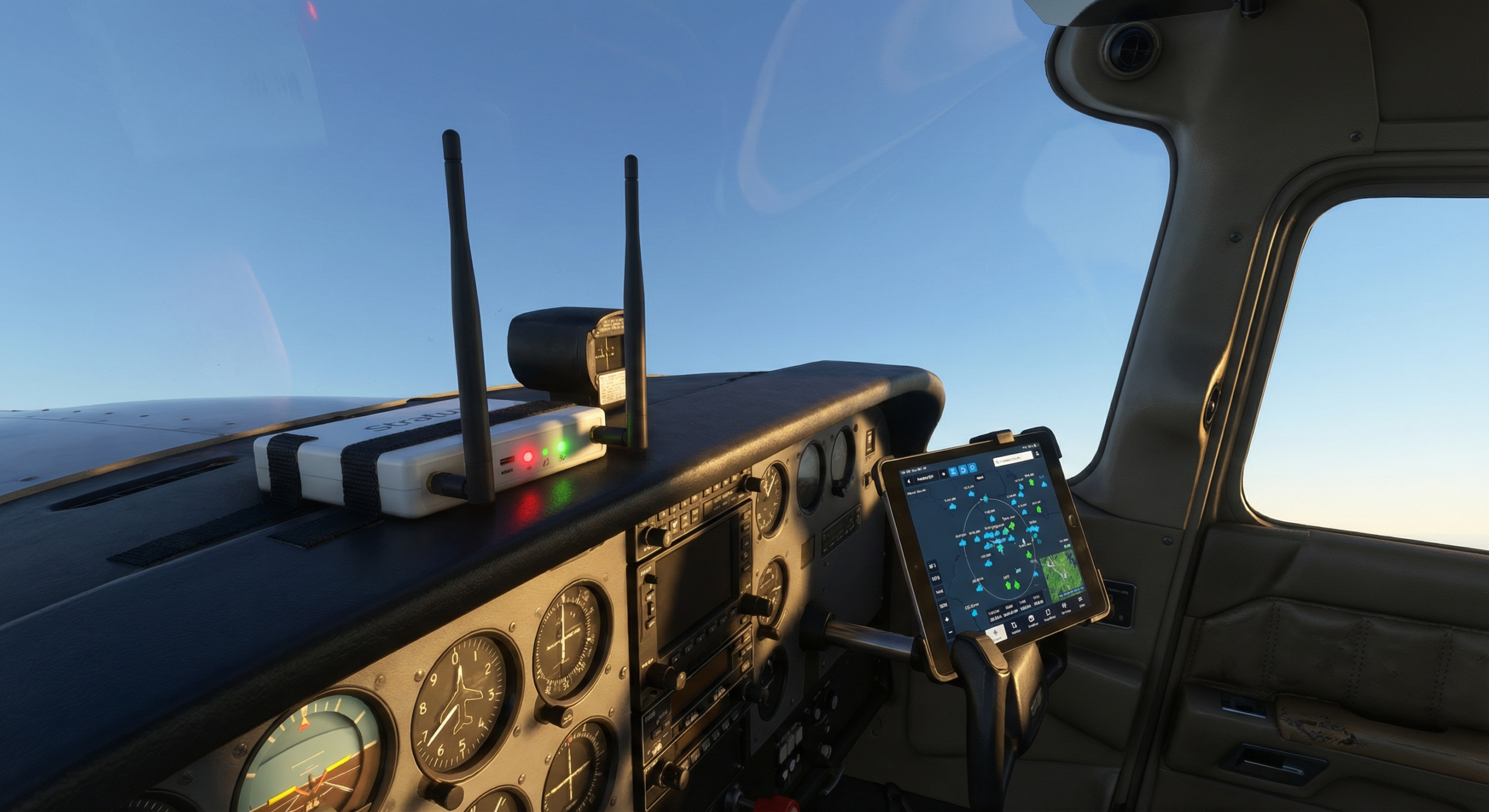
Photorealistic cockpit view, pilot hand resting near iPad mounted on yoke showing ForeFlight® traffic display, compact open-source ADS-B receiver visible on glare shield, warm golden hour light through windshield, Cessna interior, aviation theme, no text in image

**NEXT STEP:** Generate image → upload to WP → schedule as new post (Apr 1 target, or first open slot after Mar 28)