
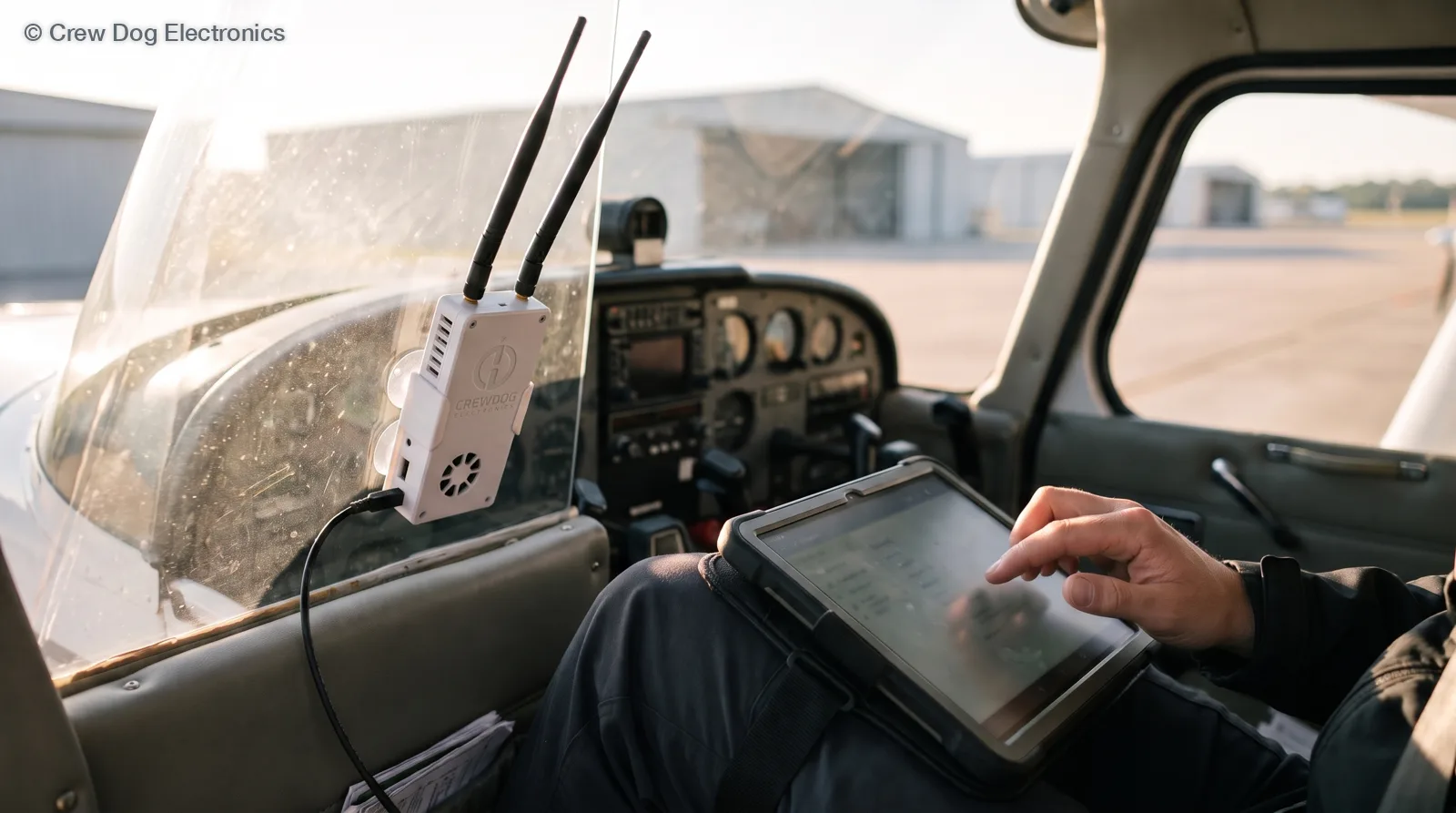
iFly EFB works with Stratux. Adventure Pilot’s own iFly EFB Pilot’s Guide v14.0 lists Stratux under Compatible Devices, next to “any other ADS-B receivers supporting the GDL90 standard.” Join the Stratux Wi-Fi, set iFly’s wireless device to Auto-Detect, and you’ll get traffic, weather, GPS and attitude.
It runs on iPad, iPhone, Android and Windows, so it’s a good pick if you fly Android. I wrote the steps from iFly’s own guide, with page numbers, so you can check me.
Before you start
- Stratux powered from a good 2-amp source, both antennas on.
- iFly EFB installed from the App Store or Play Store, logged in, with your charts downloaded at home. The first download can take 15 to 60 minutes per the guide, so don’t do it on the ramp.
- A view of the sky for the first GPS fix.
Set up iFly EFB with Stratux
These steps follow the guide’s “Installing an External ADS-B Device” section, page 64.
- Power up the Stratux. Give it a minute or two to boot.
- Join its Wi-Fi. On the tablet, open Wi-Fi settings and join the stratux network. If iOS warns there’s no internet, stay connected anyway.
- Check Stratux first. Open 192.168.10.1 in a browser. The Status page shows the radios and the GPS. For attitude, open the GPS/AHRS page and tilt the box. The horizon should move with it (Stratux web interface guide).
- Set iFly to Auto-Detect. In iFly, touch Menu, then About, then Connected Devices. Touch the Wireless Device button and make sure AUTO-DETECT is selected. iFly figures out the device type on its own.
That’s it. You don’t pair anything or make an account on the receiver. I’d still do step 3 every time. Most of the time it tells you fast whether a problem is the Stratux or the app.
Check the ADS-B status window
iFly has a status window that tells you exactly what’s coming in. Open it from Menu, then Setup, then ADS-B. Here’s what the counters mean, per the guide:
- Heartbeats climbing at least once a second means iFly is talking to the Stratux. If it isn’t counting, iFly isn’t connected. Check the Wi-Fi first.
- GPS Updates counting means you’ve got a GPS position from the Stratux.
- Receiving Tower is how many ground stations you hear. Zero on the ground is normal. The guide says 1 to 3 is typical in flight.
- TIS-B counts traffic messages.
- FIS-B counts weather messages. It only moves when at least one tower is in range.
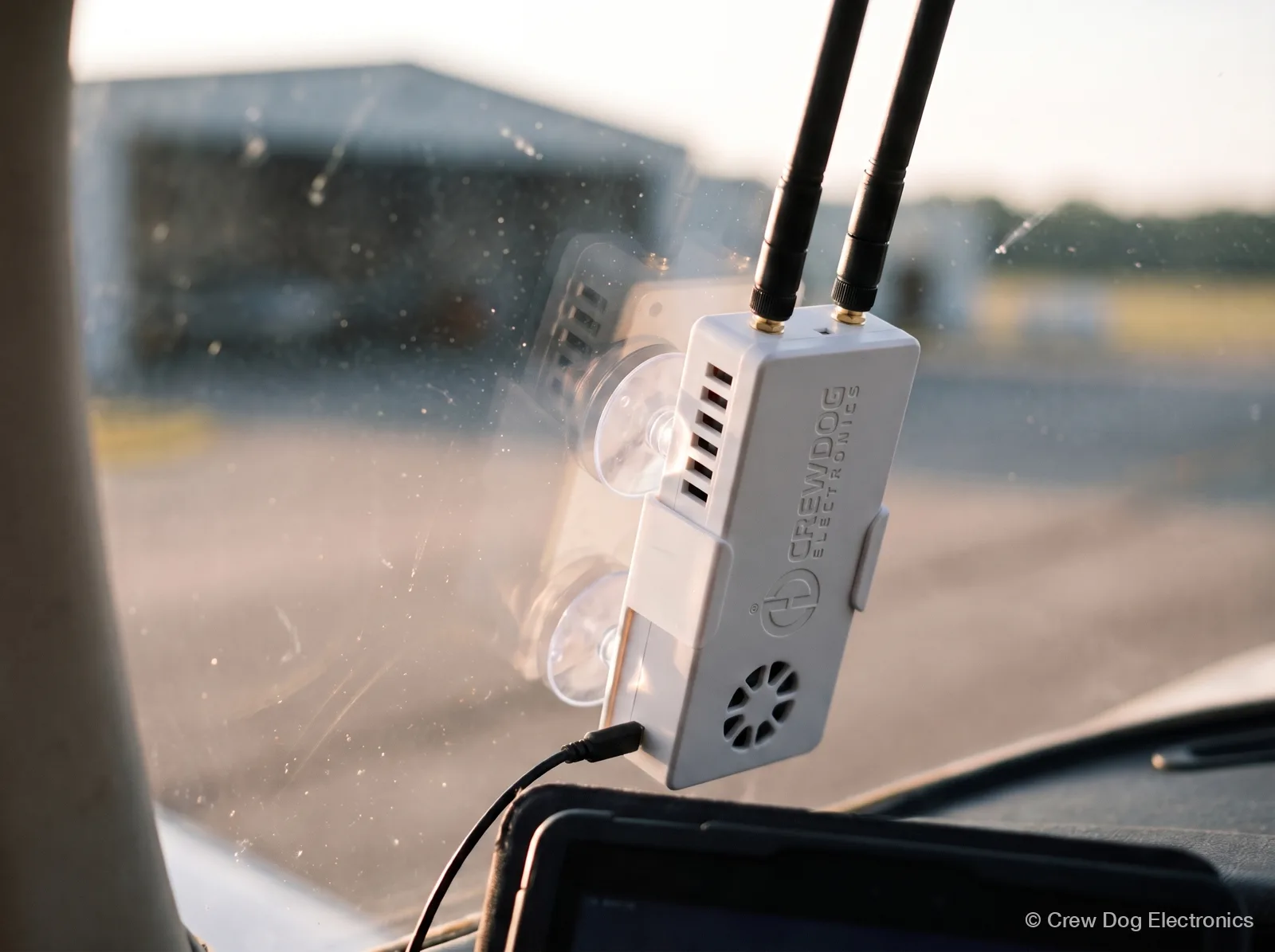
On the windscreen, keep the side vents clear. The fan is speed-controlled to hold the CPU near 50 °C.
If something looks stuck, the Options button in that window lets you reset and reconnect. The guide recommends leaving it on Auto Detect. Still stuck? Drop us a note with what the counters show and we’ll help you sort it out.
What you’ll see in flight
- Traffic from 1090 MHz and 978 MHz UAT on the moving map. Set alerts under Menu, Setup, Alerts and Warnings, Traffic Alerts.
- Weather like NEXRAD, METARs, TAFs and winds aloft, once you’re high enough to hear a tower. No weather on the ground is normal. The tower map shows where the stations are.
- GPS position from the Stratux. That’s what a Wi-Fi-only iPad is missing.
- Attitude for iFly’s synthetic vision and AHRS alerts. The guide says synthetic vision with full AHRS needs an ADS-B device with AHRS, and Stratux has one.
Two things to know about AHRS. Stratux only sends attitude to the app once it has a GPS fix. And it’s a backup, not a certified instrument. Don’t fly IFR on it.
Why traffic looks thin sometimes
If your airplane has no ADS-B Out, you’ll see some rebroadcast traffic but not all of it. The ground stations send TIS-B and ADS-R traffic to aircraft with Out. Receive-only airplanes see what’s sent to Out-equipped aircraft nearby. ADS-B In vs Out explains it.
Your Stratux for iFly
Every Crew Dog Stratux is a dual-band (978 and 1090 MHz) ADS-B In receiver with WAAS GPS and AHRS, so it covers every counter in that status window. We assemble and test each one before it ships. Most pilots want the Internal GPS model. The which Stratux page lays out the three versions.
Flying something other than iFly? The EFB compatibility check covers the rest, and the Avare and FlyQ guide has the other Android options.
iFly EFB questions
What is iFly EFB?
An EFB app from Adventure Pilot for iPad, iPhone, Android and Windows. It also runs on their iFly portable GPS units. Charts, flight planning, synthetic vision and ADS-B display are built in.
Is iFly EFB free?
No. The iFly site offers a 30-day free trial, then it’s a paid subscription.
How much does iFly EFB cost?
The iFly store lists the base VFR subscription at $94.99 a year, checked November 11, 2026. IFR data is a $55 option. The base plan covers up to two devices on one platform, and a multi-platform option adds more. Check the store for current prices.
Does iFly EFB work with Stratux on Android?
Our EFB compatibility check lists iFly on both iOS and Android. iFly’s guide notes that not every device works on every platform, so check the status window after setup.
Next step
Got iFly already? Grab a Crew Dog Stratux and run the four steps above before your next flight.