
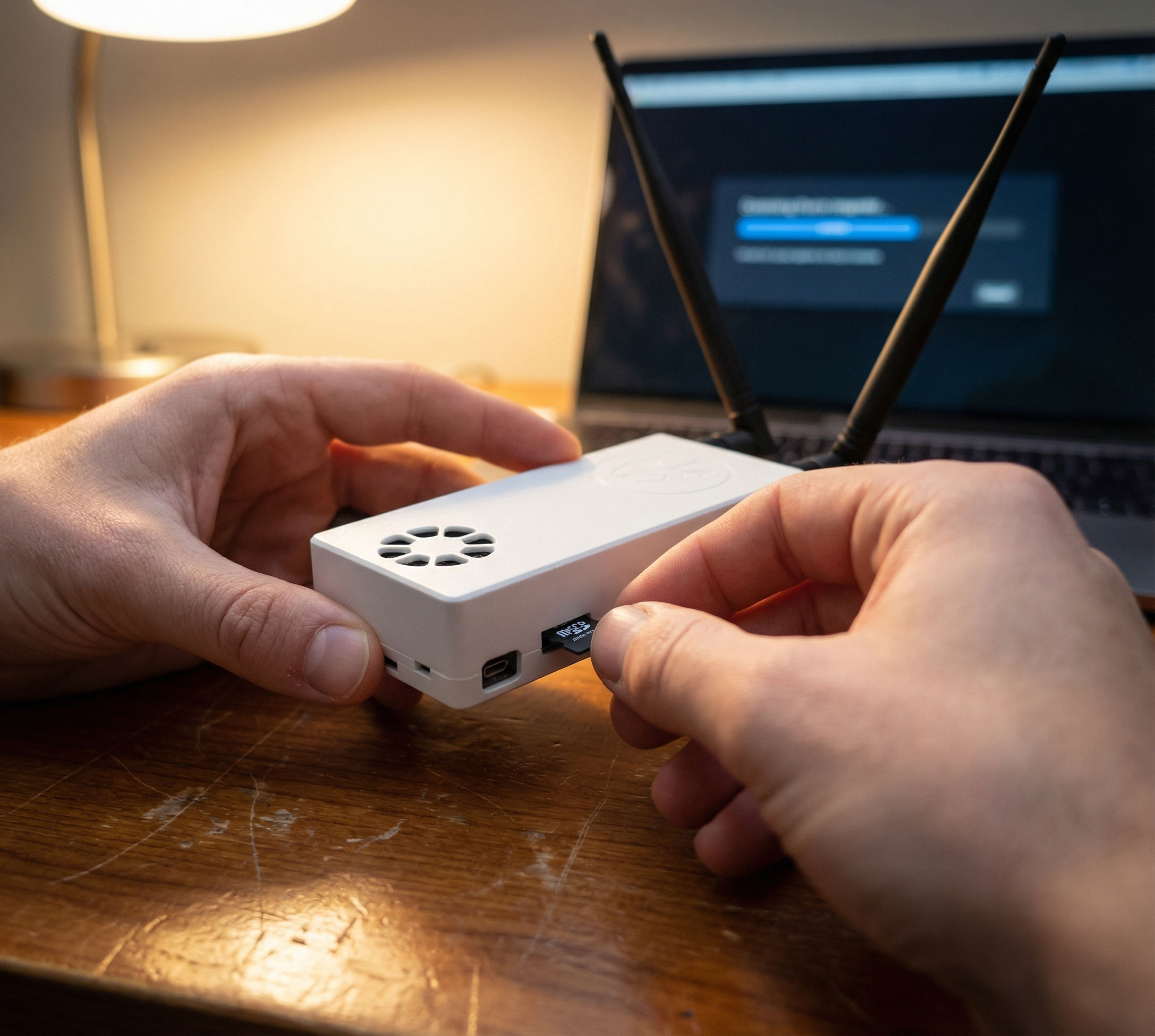
One of the best things about Stratux is that it’s repairable and maintainable—unlike sealed commercial units that become expensive paperweights when they fail. But “repairable” doesn’t mean “indestructible.” To keep your Stratux running reliably for years, you need to understand its weak points and take preventive action.
In this guide, we’ll cover the essential maintenance tasks that will keep your Stratux receiver flying strong: SD card care, firmware updates, antenna maintenance, thermal management, and more. Think of this as your Stratux care checklist.
The #1 Failure Point: SD Cards
Let’s start with the most common cause of Stratux failures: microSD card corruption. SD cards have a limited number of write cycles, and the Stratux operating system is constantly writing logs, caching data, and updating files. Over time, cheap or worn-out cards will fail—often without warning.
SD Card Best Practices:
- Use quality cards: Stick with SanDisk, Samsung, or Kingston. Avoid no-name brands from Amazon.
- Choose endurance-rated cards if available: “High Endurance” or “MAX Endurance” cards are designed for constant read/write cycles (think dashcams and security cameras). They last longer.
- 32GB is the sweet spot: Larger cards don’t add functionality, and smaller cards may run out of space for logs.
- Keep a backup image: Once you have Stratux configured the way you like, create a backup image of the SD card. If it fails, you can restore to a new card in minutes.
- Replace annually: Treat SD cards as consumable. Budget $10/year for a fresh card and swap it out preventively.
How to Back Up Your SD Card:
On Mac, use Disk Utility or dd from Terminal. On Windows, use Win32DiskImager. On Linux, use dd. The process takes 15-30 minutes and could save you hours of troubleshooting later.
Pro tip: Label your backup image file with the date so you know when it was created. Store it somewhere safe—cloud storage, external drive, etc.
Firmware Updates: Stay Current (But Not Bleeding Edge)
The Stratux development team periodically releases firmware updates with bug fixes, performance improvements, and new features. Keeping your Stratux updated ensures compatibility with the latest EFB app versions and ADS-B standards.
How to Update Stratux Firmware:
- Connect to your Stratux WiFi and open a web browser
- Navigate to http://192.168.10.1 (the Stratux web interface)
- Go to the Settings page
- Look for “Software Update” or “Update” section
- If a new version is available, click “Update”
- Wait for the update to complete (do NOT power off during this process)
- Reboot and verify everything still works
When to Update (and When Not To):
- Update if: You’re experiencing bugs, missing features, or your EFB app recommends it
- Don’t update the night before a big trip: If it ain’t broke, don’t fix it right before you need it most
- Read the release notes: Know what’s changing before you commit
- Wait a week after a new release: Let early adopters find the bugs first
Frequency: Check for updates every 2-3 months, or before the start of flying season. Most pilots update 2-3 times per year.
Thermal Management: Keep It Cool
Stratux generates heat—especially the SDR dongles, which can get surprisingly hot during extended operation. Heat is the enemy of electronics. Overheating can cause:
- Reduced SDR sensitivity (you’ll miss distant aircraft)
- System crashes and reboots
- Shortened component lifespan
- SD card corruption (heat accelerates wear)
Cooling Best Practices:
- Use a case with ventilation: Quality Stratux cases have airflow holes and fan mounts. Don’t seal your Stratux in an airtight box.
- Install a cooling fan: A small 5V fan keeps air moving over the Pi and SDRs. Most kits include one—use it.
- Mount away from direct sunlight: Don’t leave your Stratux on the glareshield in the summer sun. Find a shaded spot.
- Monitor temperature: The Stratux web interface shows CPU temperature. If it’s consistently above 70°C (158°F), you need better cooling.
- Consider heatsinks: Small adhesive heatsinks on the SDR dongles can help dissipate heat, especially in hot climates.
Summer flying tip: If you park in the sun before a flight, your Stratux may be heat-soaked. Let it run for a few minutes before takeoff to ensure it’s stable.
Antenna Care and Maintenance
Your antennas are critical to ADS-B reception. Damaged or poorly connected antennas mean missed traffic and incomplete weather. Fortunately, antennas are simple to inspect and maintain.
Antenna Checklist:
- Inspect connectors: Make sure SMA connectors are tight and not bent. A loose connection kills performance.
- Check for physical damage: Cracks, kinks, or broken elements reduce antenna gain.
- Clean contacts: Dust and corrosion can build up on connectors. A quick wipe with a clean cloth helps.
- Verify you haven’t swapped them: The 978 MHz (shorter) and 1090 MHz (longer) antennas look similar but are tuned differently. Double-check they’re on the correct SDR.
- Upgrade if needed: Stock antennas work fine, but if you fly in remote areas or want maximum range, consider upgraded antennas with higher gain.
Pro tip: If you’re getting poor reception on one frequency but not the other, swap the antennas between SDRs as a troubleshooting step. If the problem moves with the antenna, you’ve found the culprit.
Power Supply: The Forgotten Component
A flaky power supply causes mysterious reboots, WiFi dropouts, and GPS glitches. The Raspberry Pi needs a stable 5V/3A supply. Skimping on power is a false economy.
Power Best Practices:
- Use a quality USB power adapter: Official Raspberry Pi adapters are ideal. Avoid cheap phone chargers.
- Avoid cigarette lighter adapters if possible: They can be electrically noisy. If you use one, get a high-quality unit rated for 3A+ for best results.
- Check your cable: Long, thin USB cables have voltage drop. Use a short, thick cable (ideally 20 AWG or better).
- Monitor voltage: Some Raspberry Pi models display a lightning bolt icon if voltage drops too low. If you see this, fix your power immediately.
- Consider a battery pack: A USB battery bank provides clean, stable power and can run Stratux for 4-6 hours. Great for portable operation or as backup.
Physical Mounting and Protection
Stratux isn’t certified avionics—it’s not shock-mounted or vibration-tested. But you can minimize wear and tear with smart mounting choices.
Mounting Tips:
- Secure it: Velcro, non-slip pads, or a dedicated mount. Don’t let your Stratux slide around during turbulence.
- Protect from impact: A good case is essential. It protects against accidental drops and bumps.
- Keep it accessible: You may need to reboot occasionally. Mount it where you can reach the power switch.
- Cable management: Secure the power and antenna cables so they don’t snag or pull loose.
Routine Maintenance Schedule
Here’s a simple maintenance schedule to keep your Stratux healthy:
| Frequency | Task |
|---|---|
| Before each flight | Power on, verify GPS lock and traffic reception |
| Monthly | Inspect antennas and connectors, check case ventilation |
| Every 2-3 months | Check for firmware updates |
| Annually | Replace SD card preventively, clean case interior, verify all connections |
| As needed | Replace damaged cables, upgrade components, recalibrate AHRS |
Troubleshooting Common Wear Issues
Symptom: Intermittent GPS lock
Likely cause: Loose GPS module connection, failing GPS antenna, or SD card corruption affecting GPS driver.
Fix: Reseat GPS module, check antenna connection, reflash SD card.
Symptom: Gradual decrease in traffic reception
Likely cause: SDR dongles overheating, antenna damage, or SDR firmware issues.
Fix: Improve cooling, inspect/replace antennas, update Stratux firmware.
Symptom: Random reboots during flight
Likely cause: Insufficient power supply, overheating, or SD card failure.
Fix: Upgrade power supply, add cooling, replace SD card.
When to Replace vs Repair
One of Stratux’s greatest strengths is repairability. Almost every component is modular and replaceable:
- SD card failure? Swap in a new one ($10)
- SDR dongle died? Replace it ($25)
- GPS module flaky? New module is $15-30
- Raspberry Pi dead? Replace for $35-55
- Case cracked? 3D print a new one or buy a replacement
Compare that to a commercial ADS-B receiver: if it fails out of warranty, you’re often looking at full replacement cost ($500-800). With Stratux, you fix what broke and keep flying.
This is the Framework Laptop philosophy in action: you own your hardware, you can repair it, and you’re not at the mercy of a manufacturer’s support policy.
The Bottom Line
Stratux is low-maintenance, but not no-maintenance. A little preventive care goes a long way:
- Replace your SD card annually
- Keep firmware reasonably up-to-date
- Don’t let it overheat
- Use clean, stable power
- Inspect antennas periodically
Do these things, and your Stratux from Crew Dog Electronics will serve you reliably for years. And when something does eventually fail? You’ll fix it yourself for pocket change and be back in the air.
Maintain it, fly it, own it forever.